

Features · version 1.0
Everything a big game needs, already built
Stravyn ships the systems you'd normally spend months coding: inventories, quests, AI, menus, multiplayer, vehicles, weather and more. You set them up with clicks, extend them with events or Lua, or ask AI Studio to do it.
Start screen New in 1.0
Start from a game type, a template, or everything
The start screen asks what you're making. A game type gives you an empty level, a player made for that kind of game and its systems switched on, with no clutter to delete. Templates are finished example games you can play and change. Custom gives you every system to pick from.
- 9 game types: shooter, adventure, top-down, zombie survival, RPG, strategy, stealth, open world, action and bosses
- 13 finished templates in their own Templates area, with search
- Custom game: all 13 systems ready to switch on
- Recent projects with pictures, so you can pick up where you left off
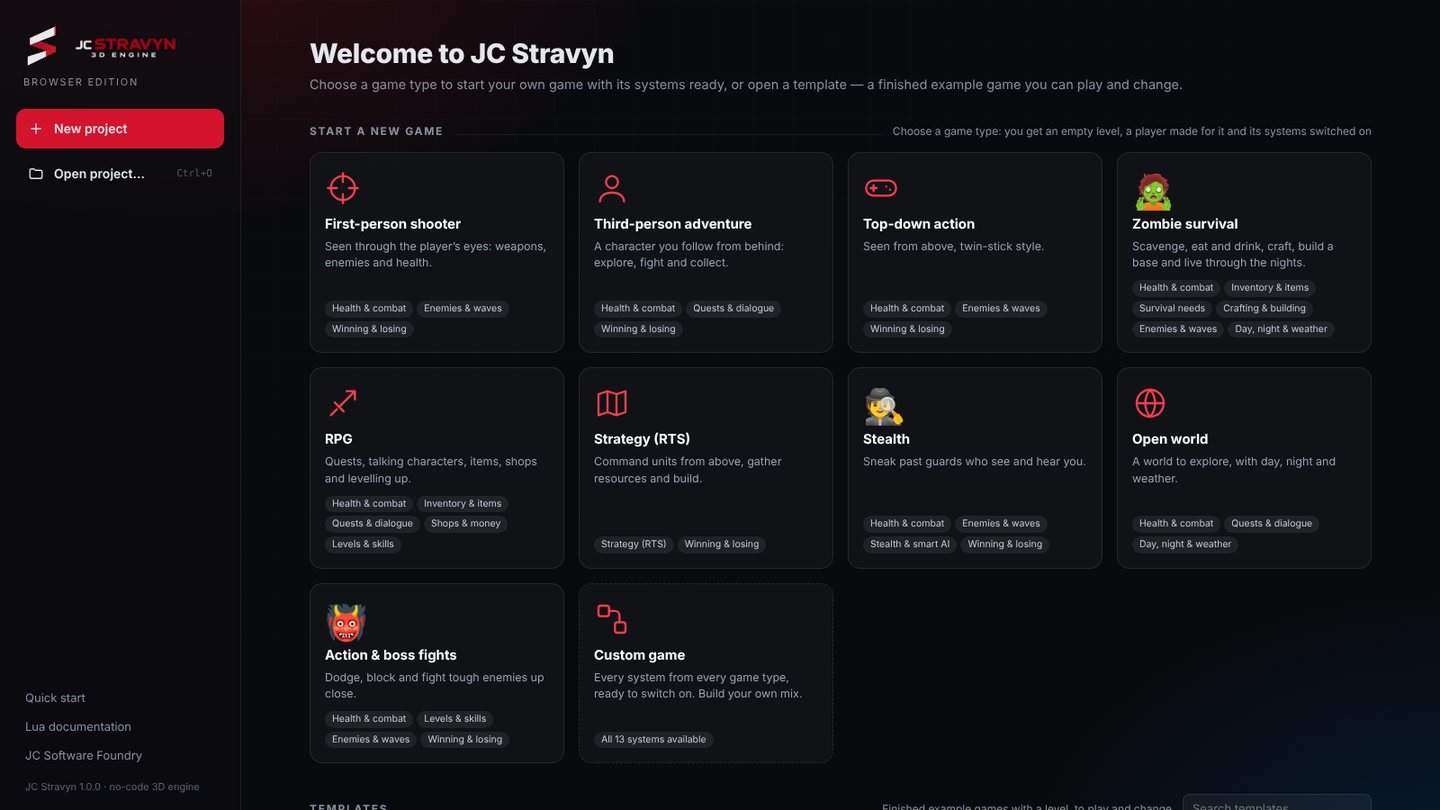 Start screen
Projects you can trust
Real files, backups, no lost work
Projects are real files with Save and Save as. Stravyn warns you before anything unsaved is lost, keeps backups, and remembers how you arranged the editor inside each project.
- Save, Save as and Open with a real file name
- Unsaved-changes guard and automatic backups
- Your panel layout travels with the project
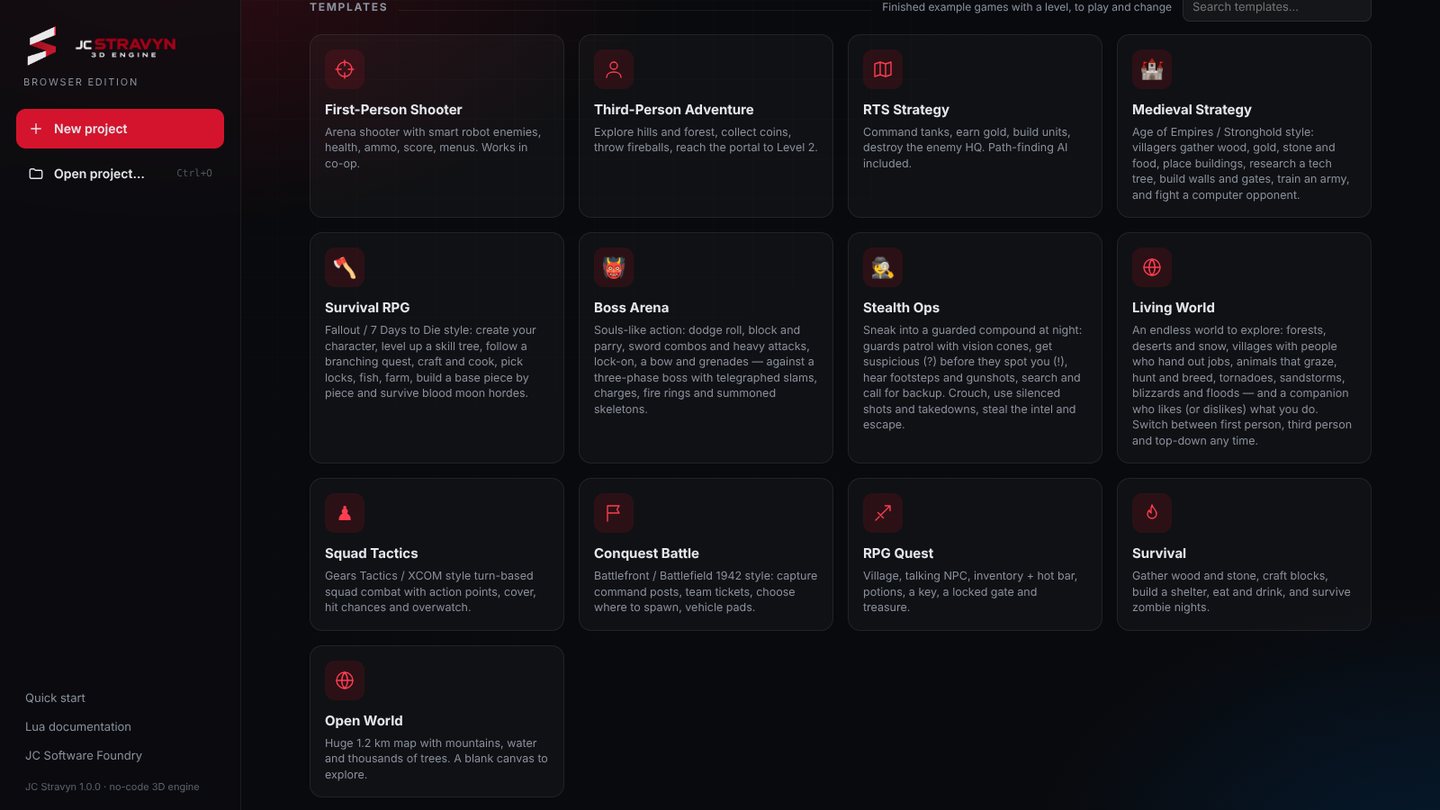 Templates area
Game Systems New in 1.0
Set up a whole system on one page
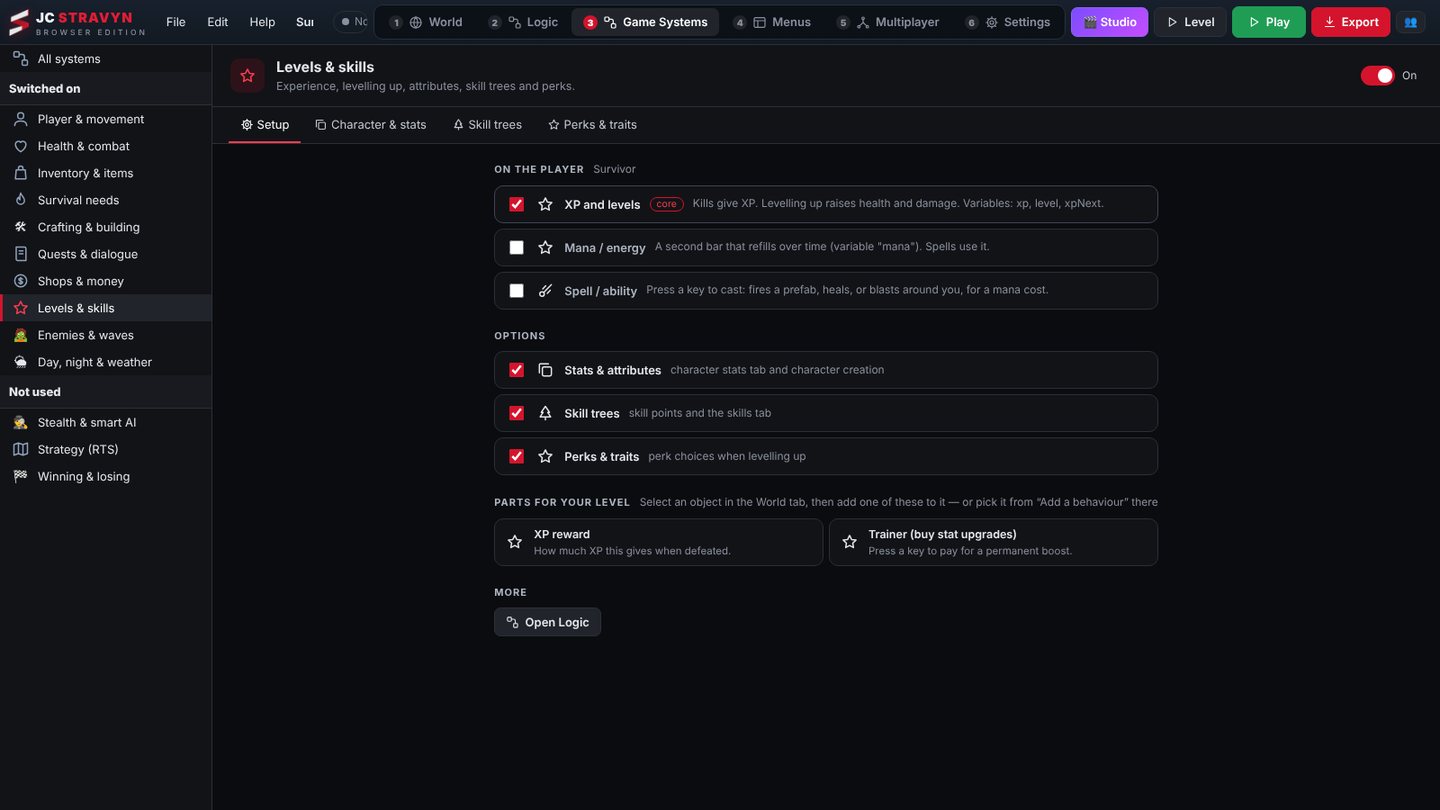
Each game system has its own page that gathers everything for it: the behaviours on the player, its data like items, dialogues and shops, the HUD elements that show it, the parts you place in the level, and its logic events. Switch a system on, set it up, done.
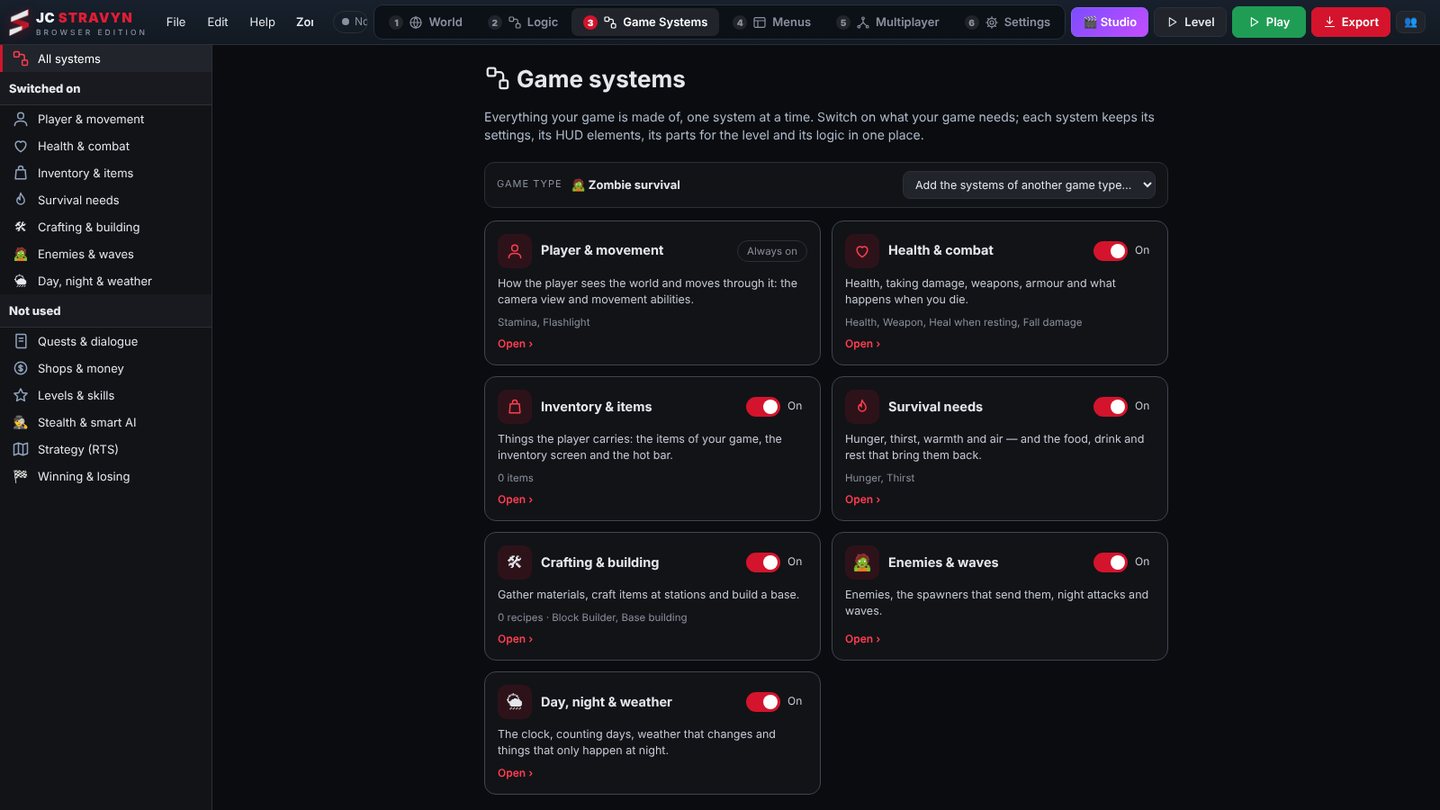
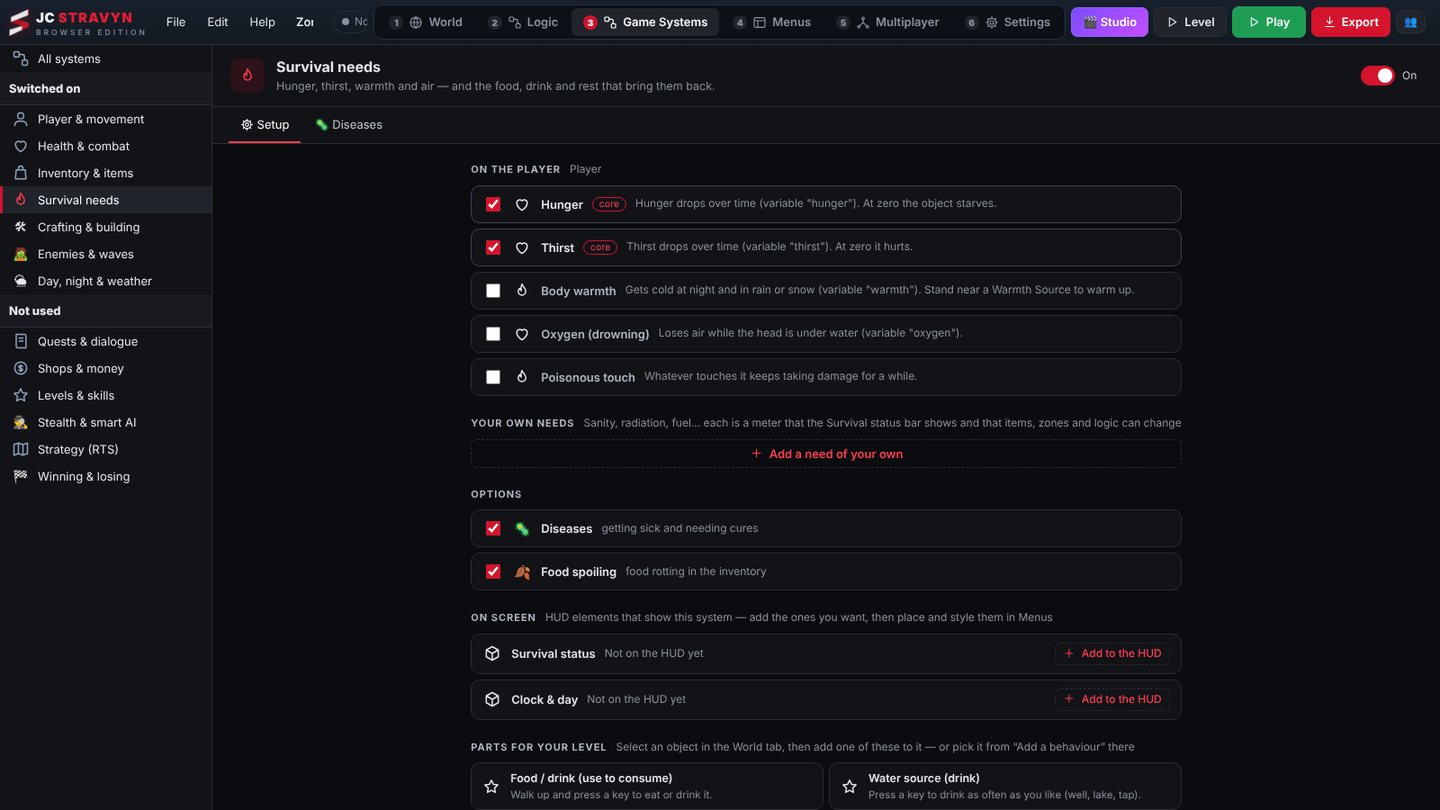
World editor
Shape the land, then set the mood
Generate a map, sculpt hills, paint grass and roads, and scatter thousands of trees in one stroke. Then give each area its own feeling.
- Terrain sculpt, paint and scatter brushes with an instant map generator
- Mood zones New fog, light and colour grading blend smoothly as the player walks in and out
- Power lines, string lights and railway track New real sagging cables, glowing bulbs, rails on sleepers that follow the ground
- Smart snapping, prefabs and drag-and-drop from the Assets panel
- Day and night, weather, fog and water per level
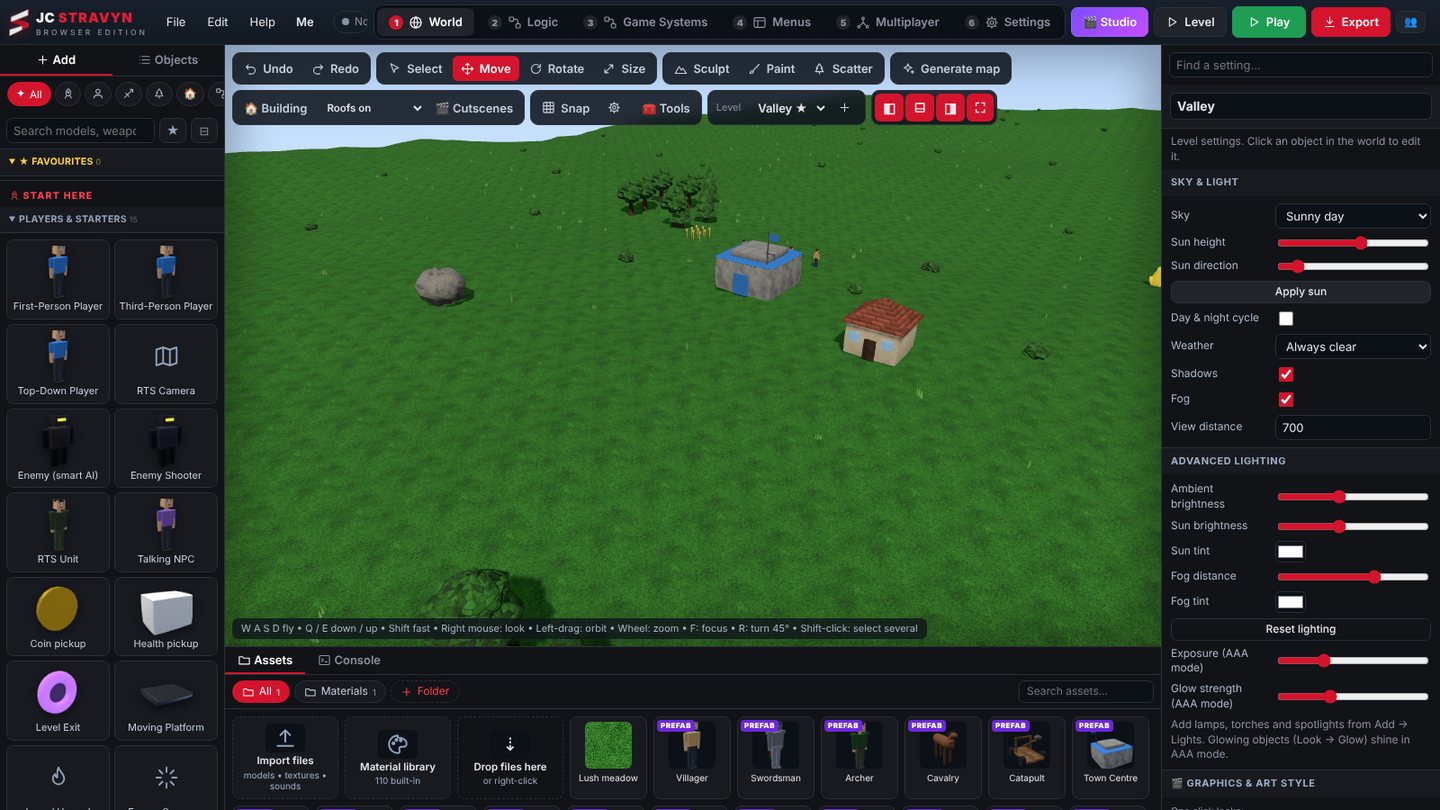 Editor · Valley level
Building maker
Draw a floor plan. Walk inside it.
Drag rectangles on a grid to make rooms, pick what each room is, and press Build it. Stravyn adds the floors, walls, doors, windows, lights and furniture, and the building appears in your level ready to play.
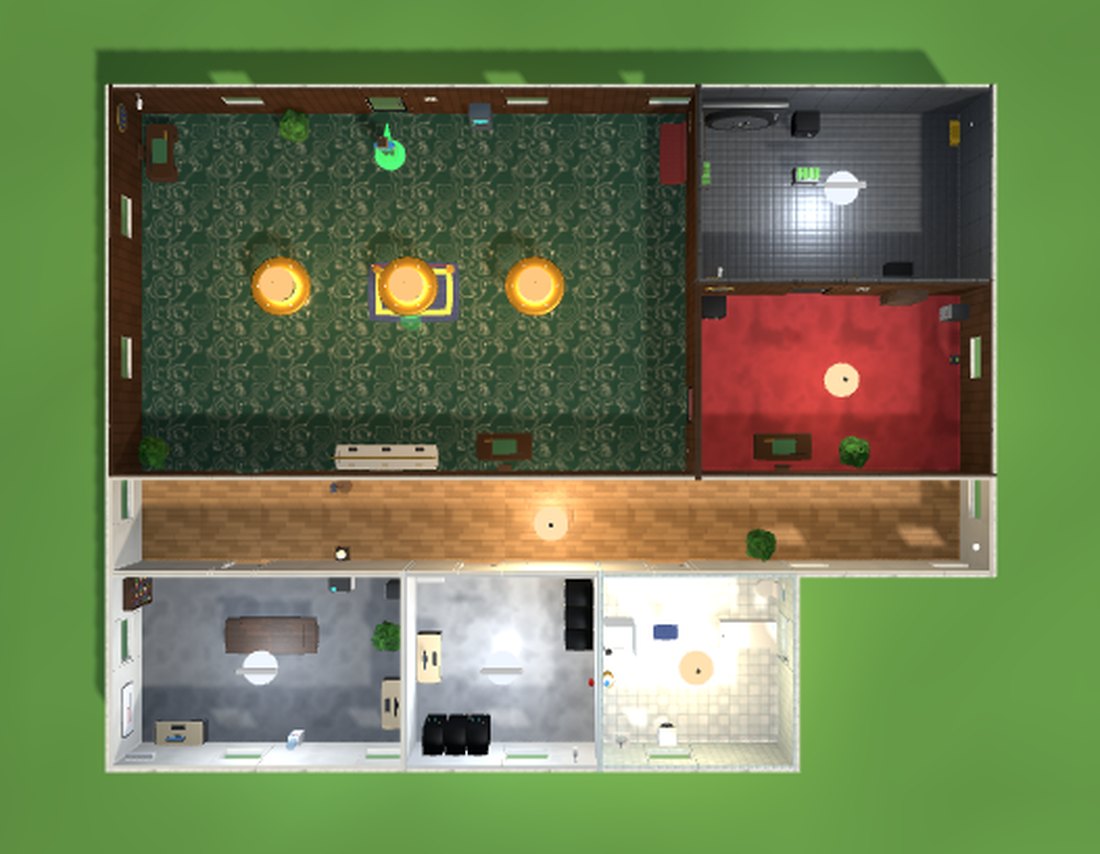
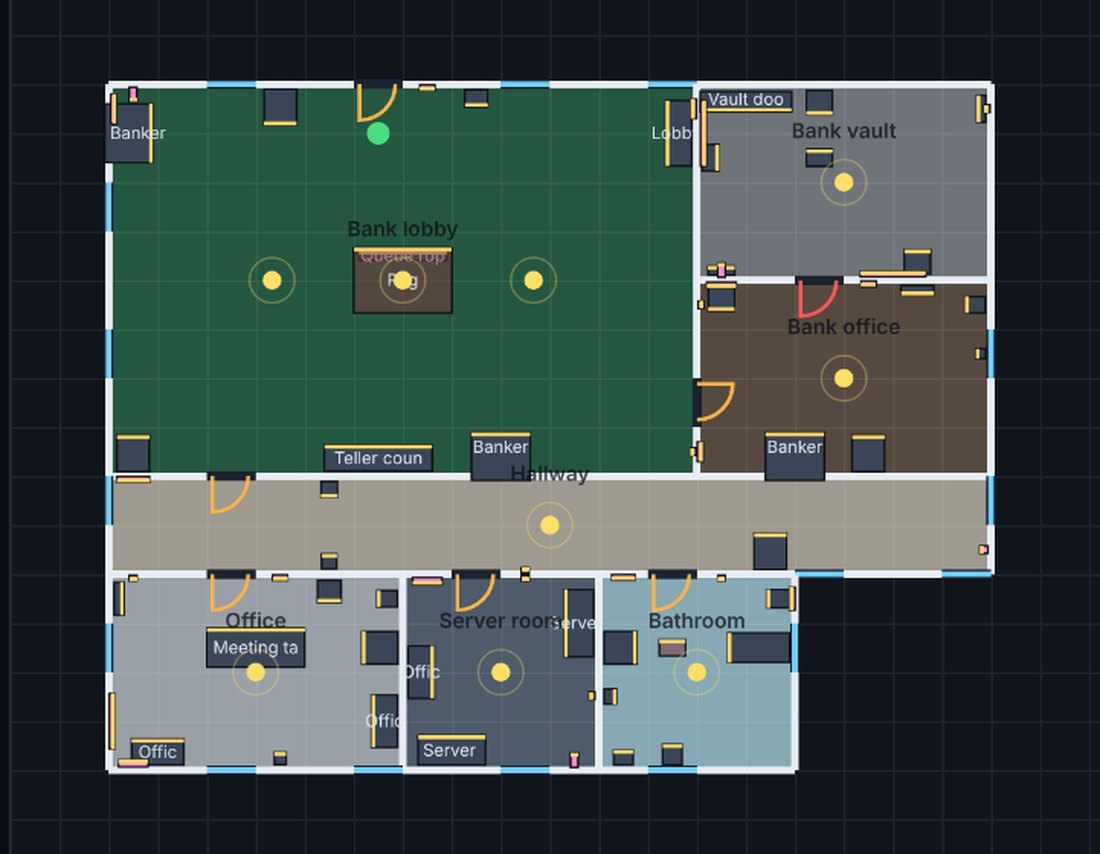 Floor planBuilt in 3D
Drag the slider. Same bank, same moment: the plan on the left, what Stravyn built from it on the right. Real captures from the Bank with vault starter, unedited.
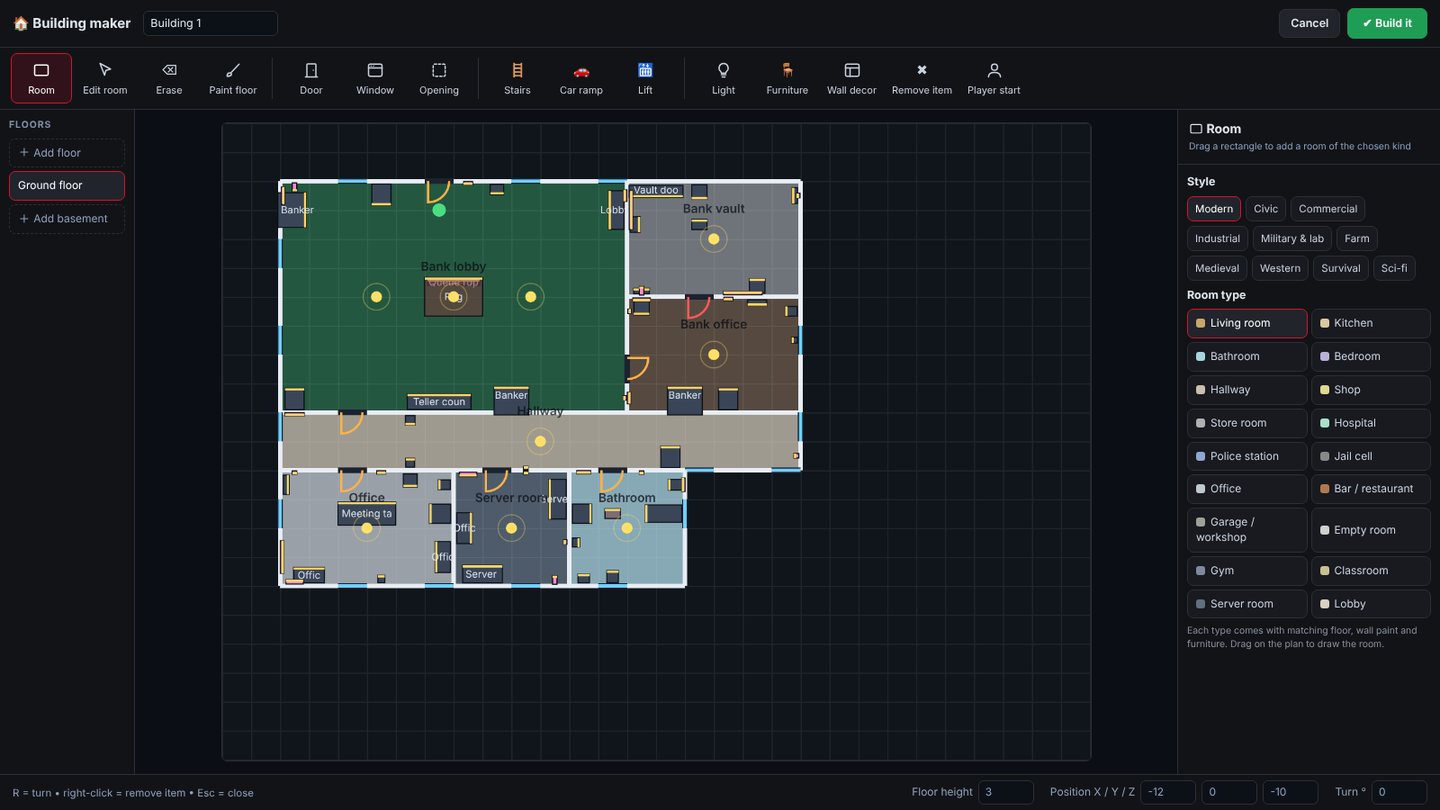 Building maker · bank plan
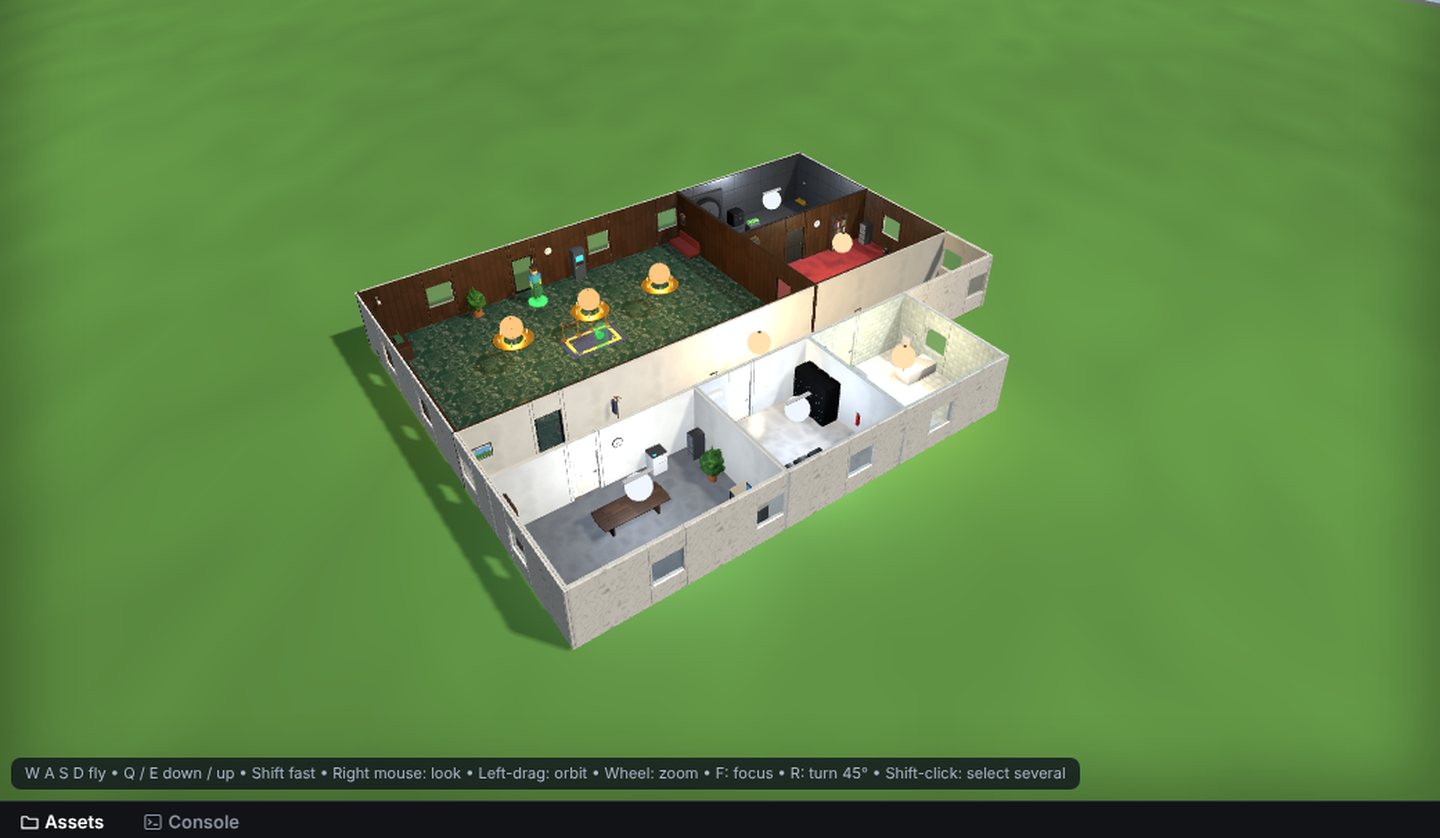 Editor · roof cut away
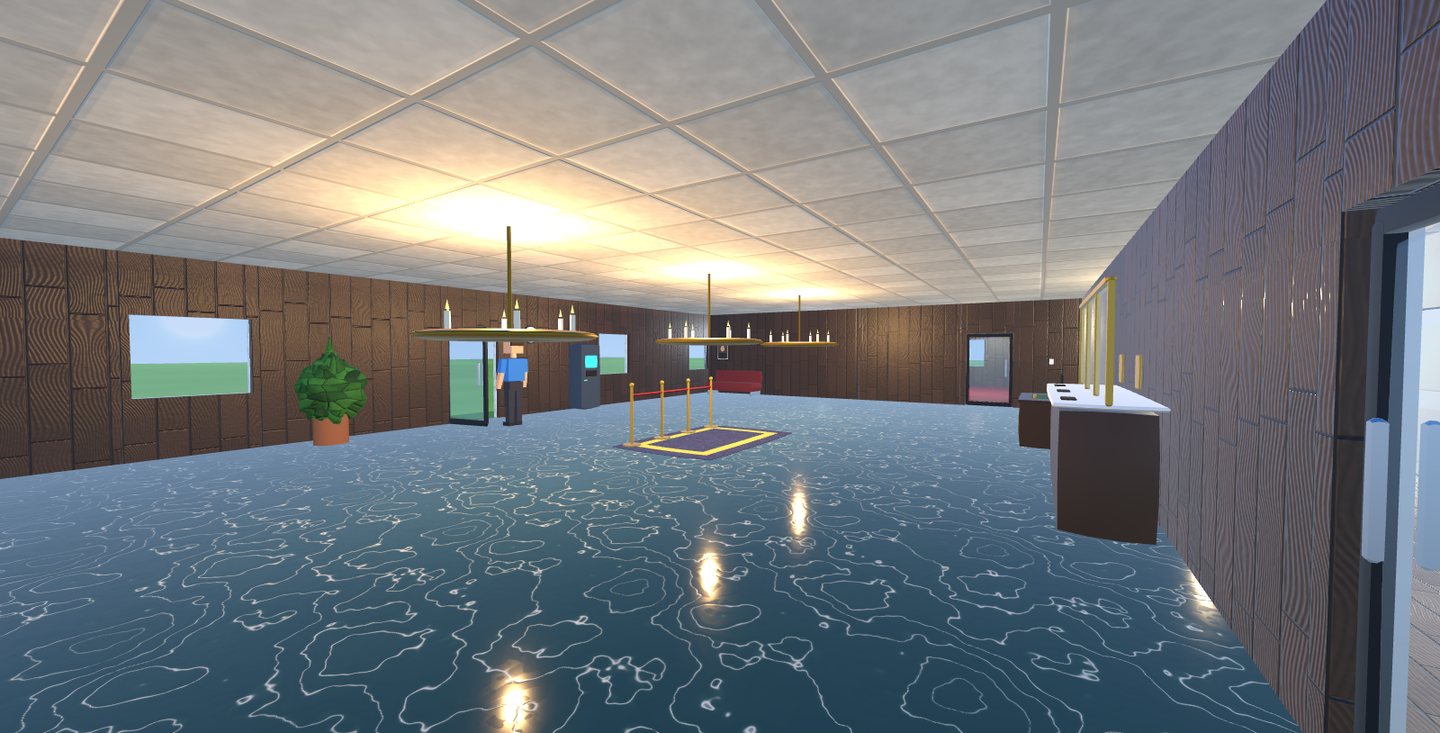 In game · bank lobby
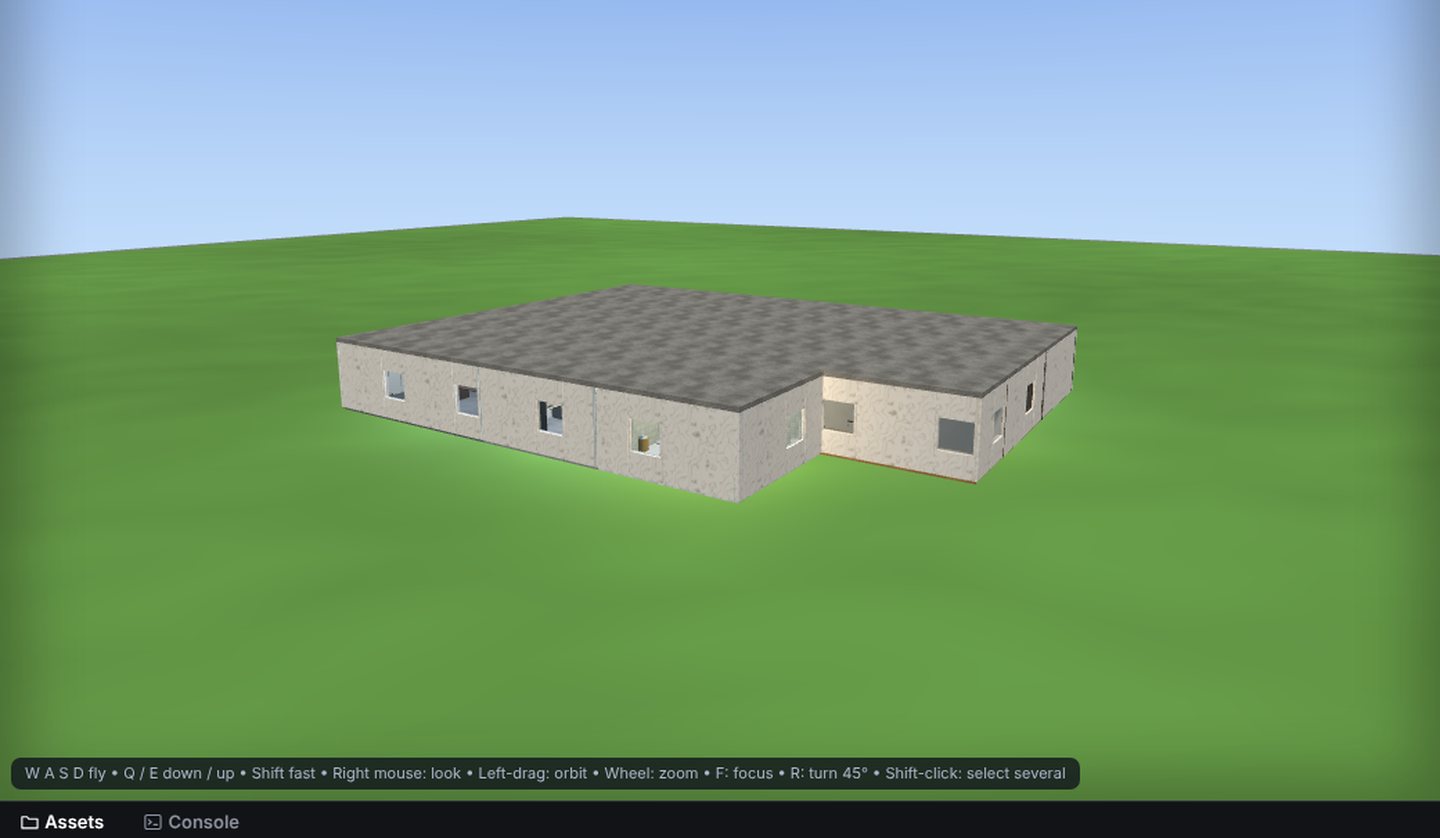 Editor · outside
15 starters to begin from
- About 50 room types in Modern, Civic, Commercial, Industrial, Military & lab, Farm and more styles
- Each room type brings its own floor, wall paint and furniture
- Doors that open by key press or automatically, and locked doors that need a key, like the bank vault
- Lifts that stop at every floor, car ramps cars can drive up, stairs in wood, concrete, metal or escalator
- Basements that cut the terrain open above them, gable or flat roofs
- Buildings move as one piece; Alt-click grabs a single part
- Light budget keeps big buildings smooth (12 nearest room lights active)
Importing assets
Bring your own models, textures and music
Drag files straight into the Assets panel. Stravyn sorts them by type, and anything you import can be placed, painted or played right away.
- Texture sets link themselves: rock.png finds rock_normal, _roughness, _metal, _ao and _emissive by name
- Folders, plus Rename, Copy, Move, Download and Delete on every asset
- Delete warns you when objects in the level still use the file
- Save any setup as a prefab and drag it onto spawners and loot tables
- No files handy? With AI set up, the AI makers generate textures, sounds, music and simple 3D models
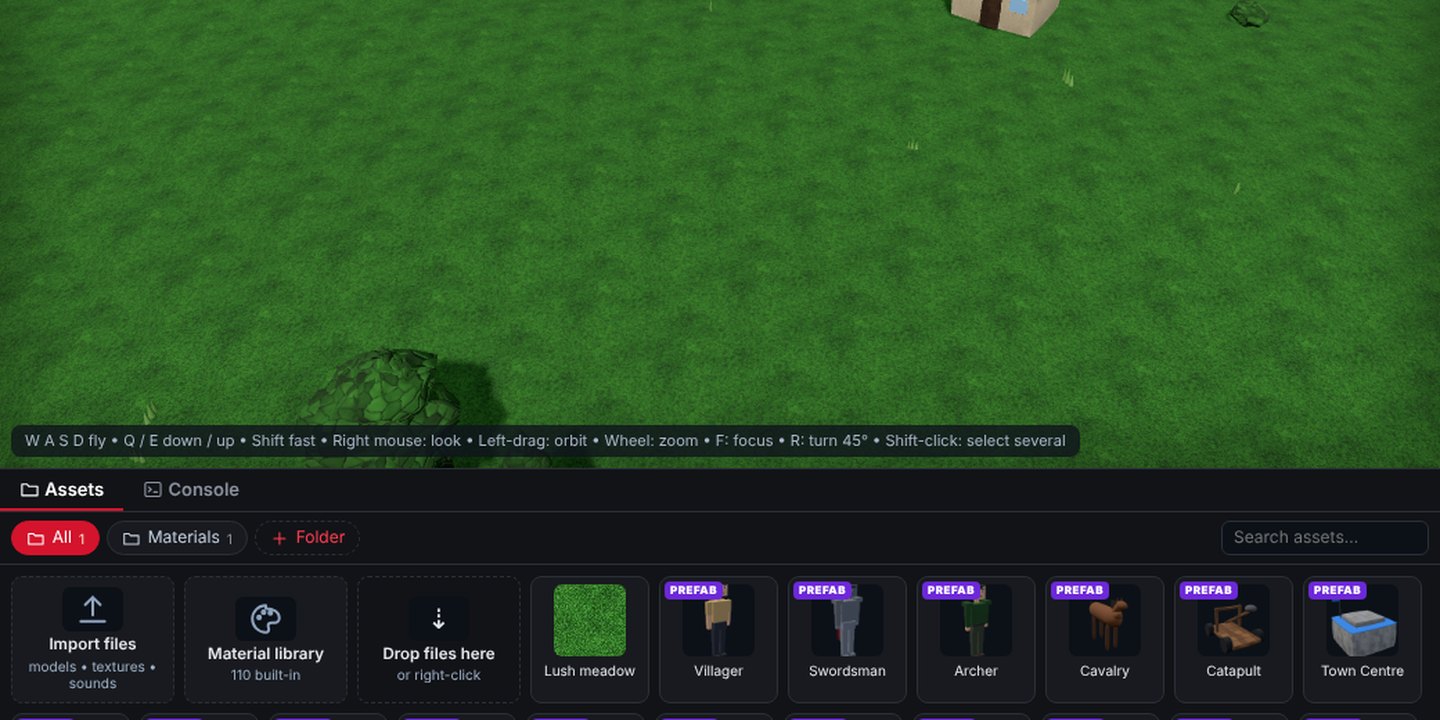 Editor · Assets panel
Events & Lua Expanded in 1.0
Events for everything. Lua for anything.
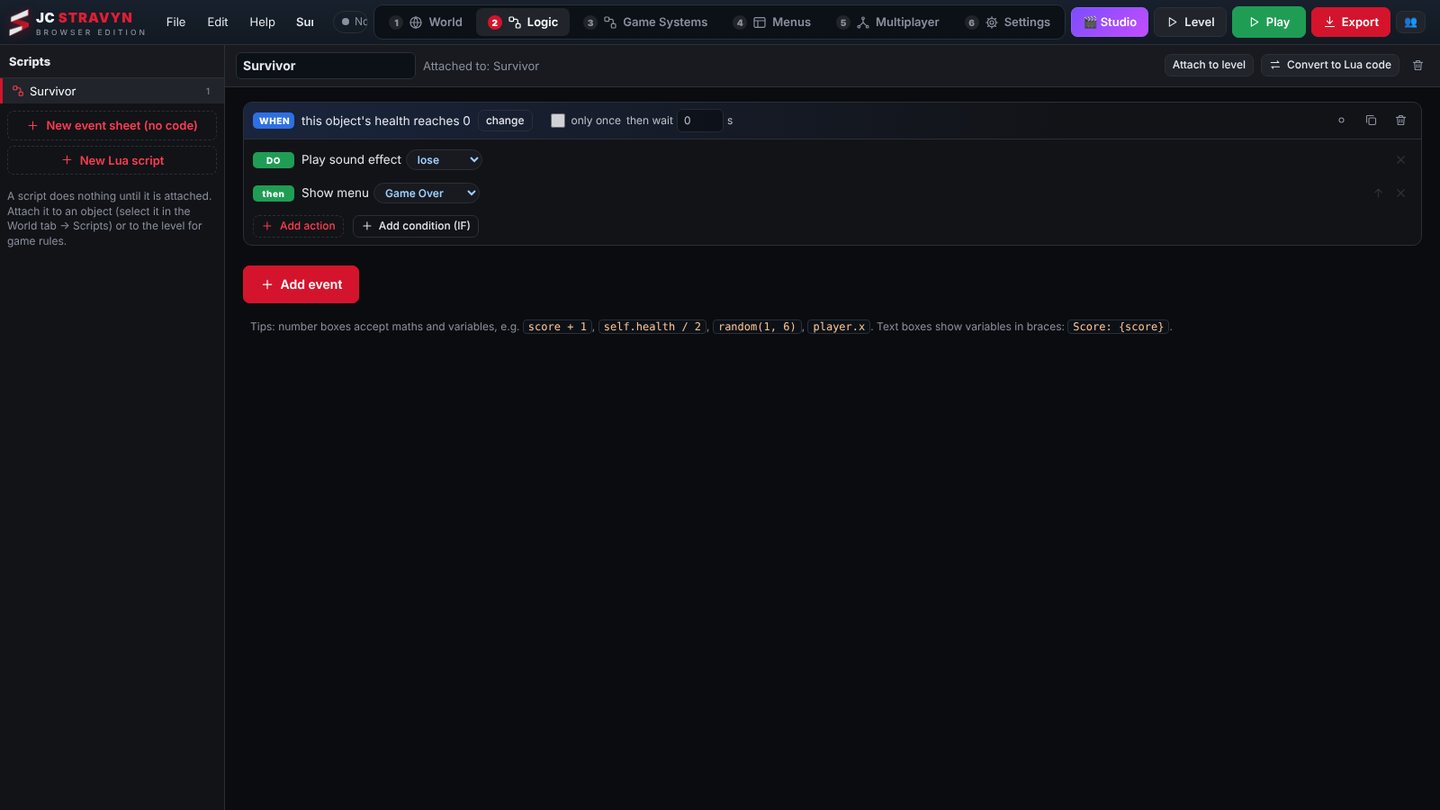
Logic reads like sentences: when something happens, do these things. In 1.0 every behaviour, meter and system in the engine can start an event, and Lua reaches all of them too.
Listen to anything
An event can watch this object, the player, anything, or everything with a tag, and use what happened (amount, item, name) in its actions.
Meters as events
Health, hunger, thirst, stamina, shield, warmth, oxygen, mana, XP, level, fuel and ammo: "runs out", "drops below", "is full again" and more.
An Events button on every behaviour
Doors opening, enemies noticing you, crops growing, waves starting, bosses falling: each behaviour lists what it can tell you.
Actions that drive behaviours
Turn a behaviour on or off, change its settings, open a door, tame an animal, start the next wave, refill ammo, all without code.
A Lua page that helps
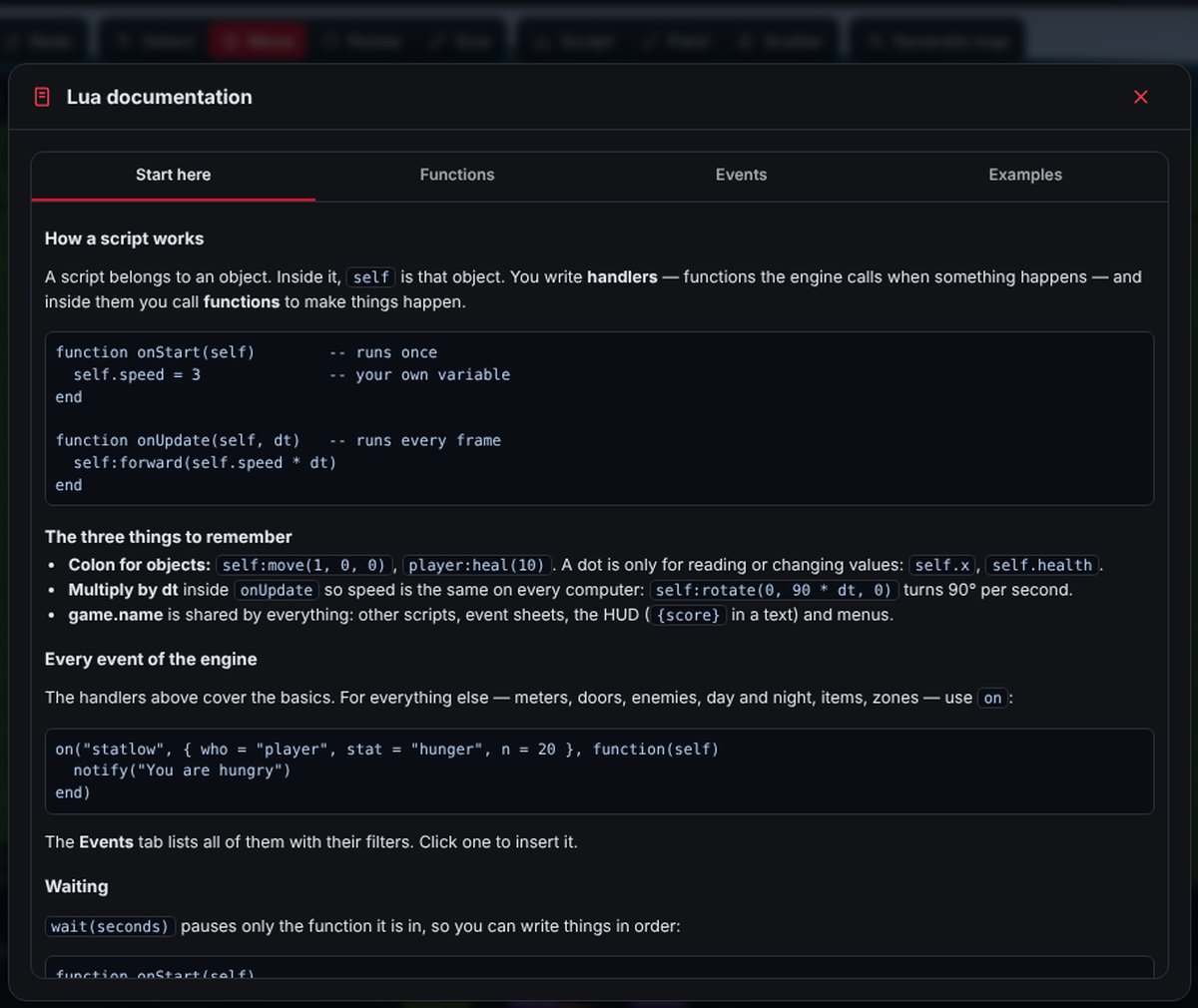
Line numbers, suggestions while you type, and a checker that points at names the engine doesn't know, before you press Play.
More Lua
on("event", filters, fn) reaches every engine event, plus tweens, saved values, helpers like waitUntil, and readable errors.
RPG tools
A full RPG toolkit, no spreadsheets
Everything a Fallout-style game needs lives in Game Systems: characters, quests, crafting, loot, factions and shops. The Survival RPG template uses all of it, so you can see each piece working.
- Character creation with 7 attributes, levels and XP, skill trees, perks and traits
- Branching quests, a journal and a codex
- Dialogue trees with attribute checks, shops and trading
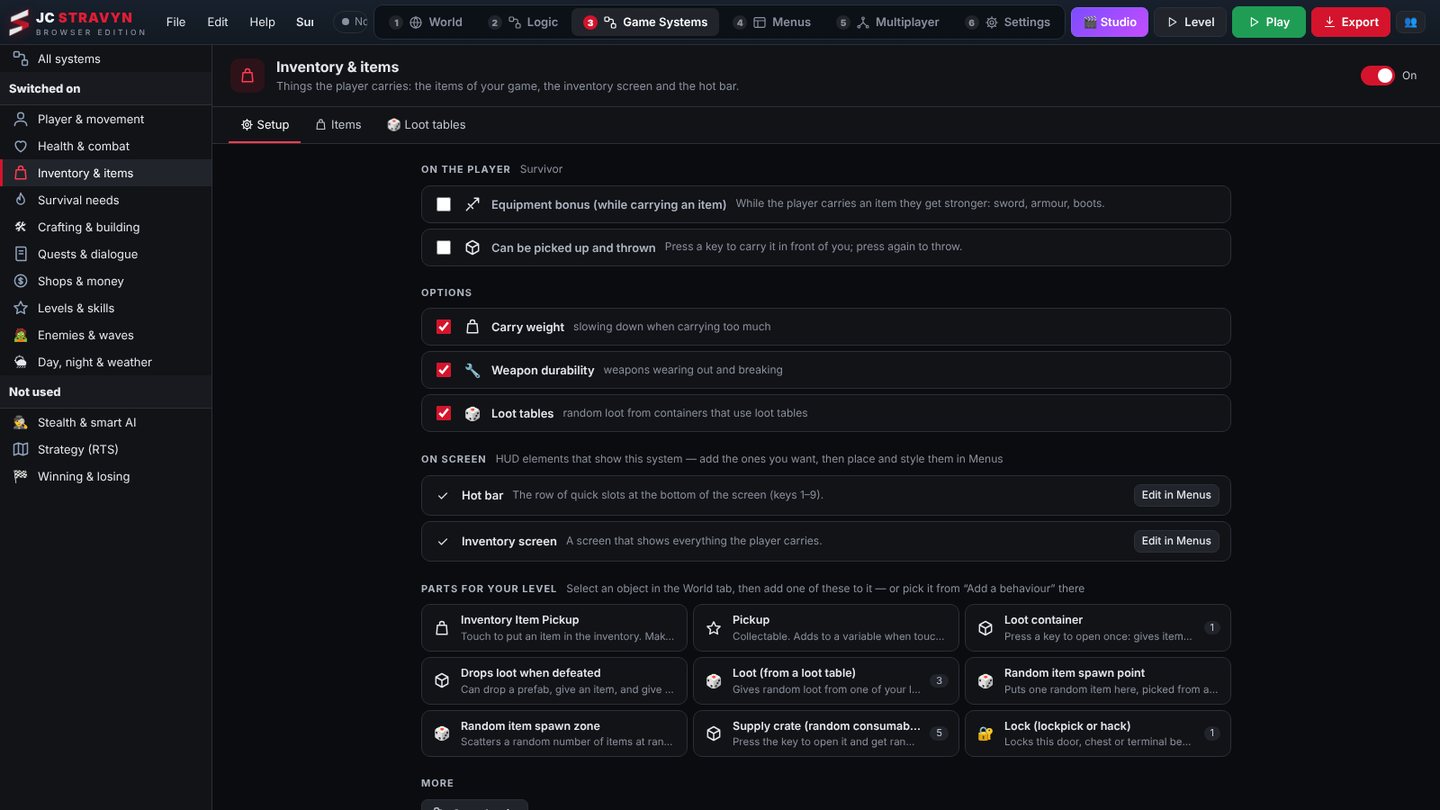
- Inventory with carry weight, durability and loot tables
 Game Systems · Inventory & items
Items & inventory
Icons, stack size, weight, value, spoil timers and durability. Hot bar and starting loadouts.
Crafting tree
Recipes tied to stations like a workbench, campfire or forge. Repair benches fix worn gear.
Loot tables
Item, weapon, coins or prefab entries with % chance and amount ranges. Six presets to start from.
Factions & reputation
Decide who fights whom. Hurting a faction member costs reputation and can turn them hostile.
Quest givers
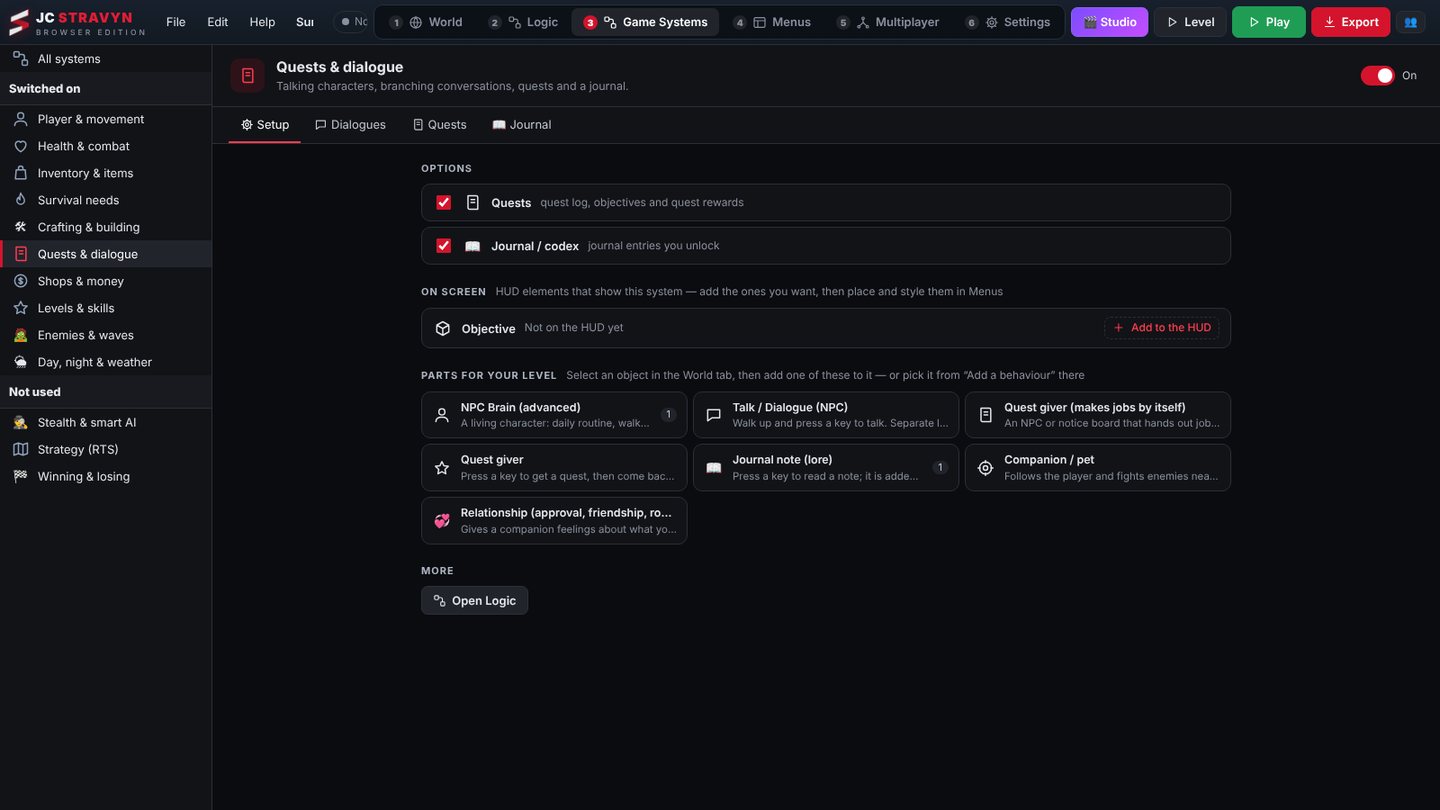
Hand-written quests, or NPCs that make hunt, fetch, deliver, escort and explore jobs on their own.
Companions
Approval that changes with your choices: friend, best friend, romance or rival. Give gifts, or watch them leave.
Minigames
Lockpicking, hacking terminals and fishing, ready to drop on any door, safe or shoreline.
Survival layer
Hunger, thirst, cooking, farming plots, diseases, warmth and base building with structural integrity.
Lore & notes
Journal notes and readable terminals that fill the codex as players explore.
Sound & music New engines in 1.0
Make your own sounds and soundtrack
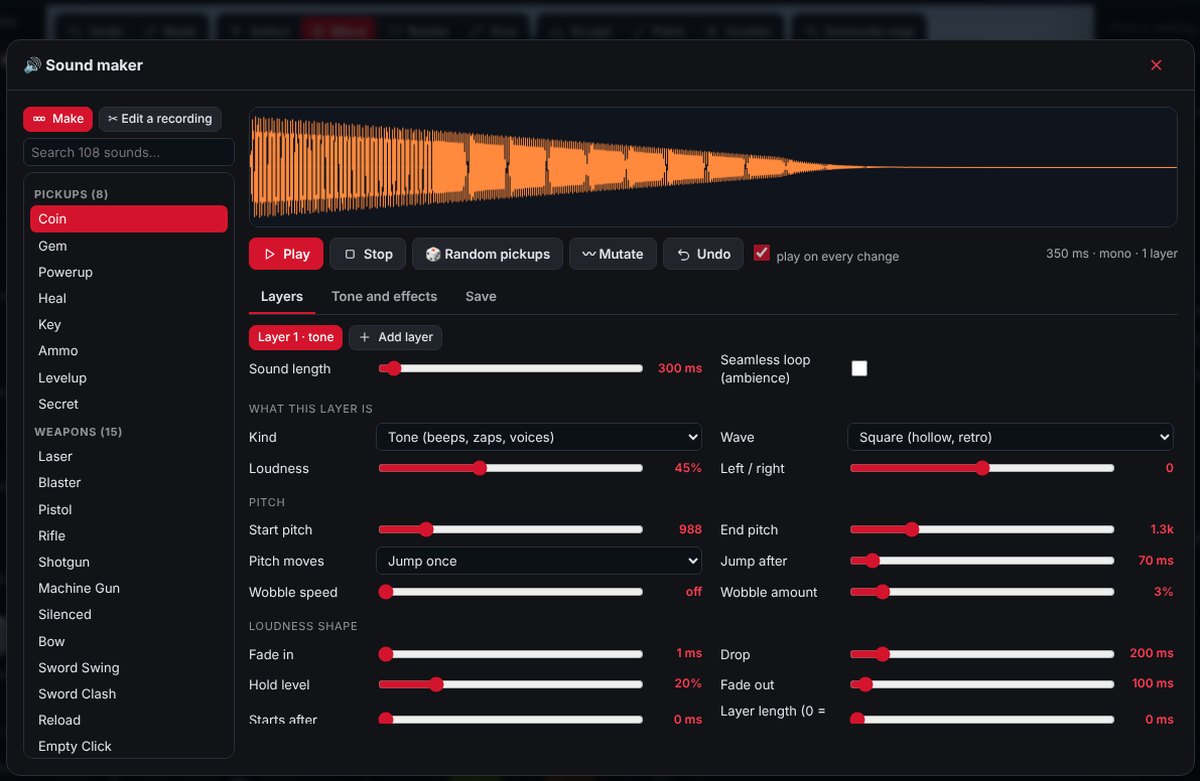
1.0 brings a new sound engine and a new music engine. Design layered sound effects and compose full songs inside Stravyn, then let zones and adaptive music play them in the right place at the right moment.
Layered sound effects in seconds
Start from a preset, then build up to four layers: a tone, noise, a metal or bell tone, and a plucked string. Shape each with pitch, length, fade and wobble, add a filter and effects, and save it straight into your game in stereo.
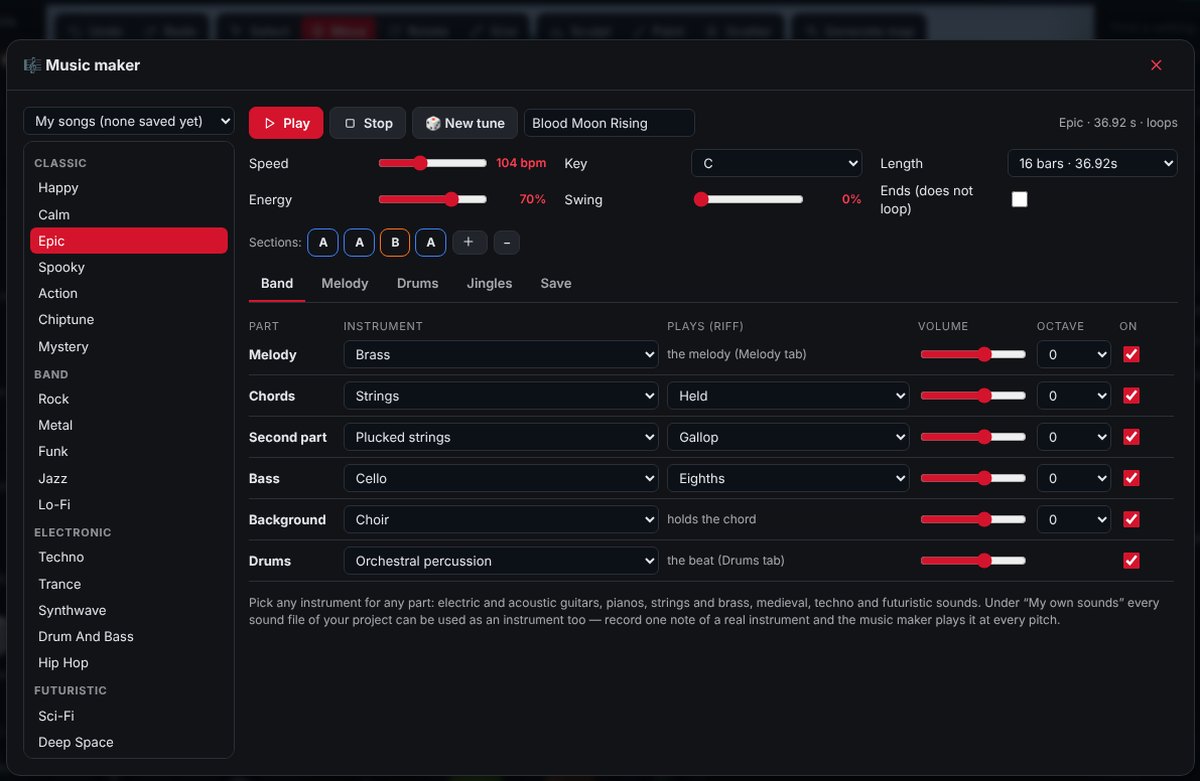
31 music styles, real song structure
Pick a style, set speed, key, energy and swing, and press New tune for a fresh song each time, with intro, verses and outro. Swap the instrument on each part, or use one of your own sound files as an instrument.
Styles include rock, metal, jazz, techno, synthwave, cyberpunk, medieval, tavern, western, tribal, orchestral battle, boss fight, horror, town, shop and stealth.
Walk into a cave, hear a cave
Place a zone and every sound inside it echoes to match. Set it per room, tunnel or building.
A soundtrack that follows the fight
Music crossfades by what's happening. Add a track for each mood and Stravyn picks the right one.
- Explorecalm, nothing nearby
- Sneakplayer crouching
- Combatenemies are after you
- Bossnear a boss
Fires crackle where the fire is
Attach a sound to any object. It gets louder as you get close and pans left and right. Loop it for engines, rivers, generators and radios.
Menus & HUD Expanded in 1.0
Design screens that move
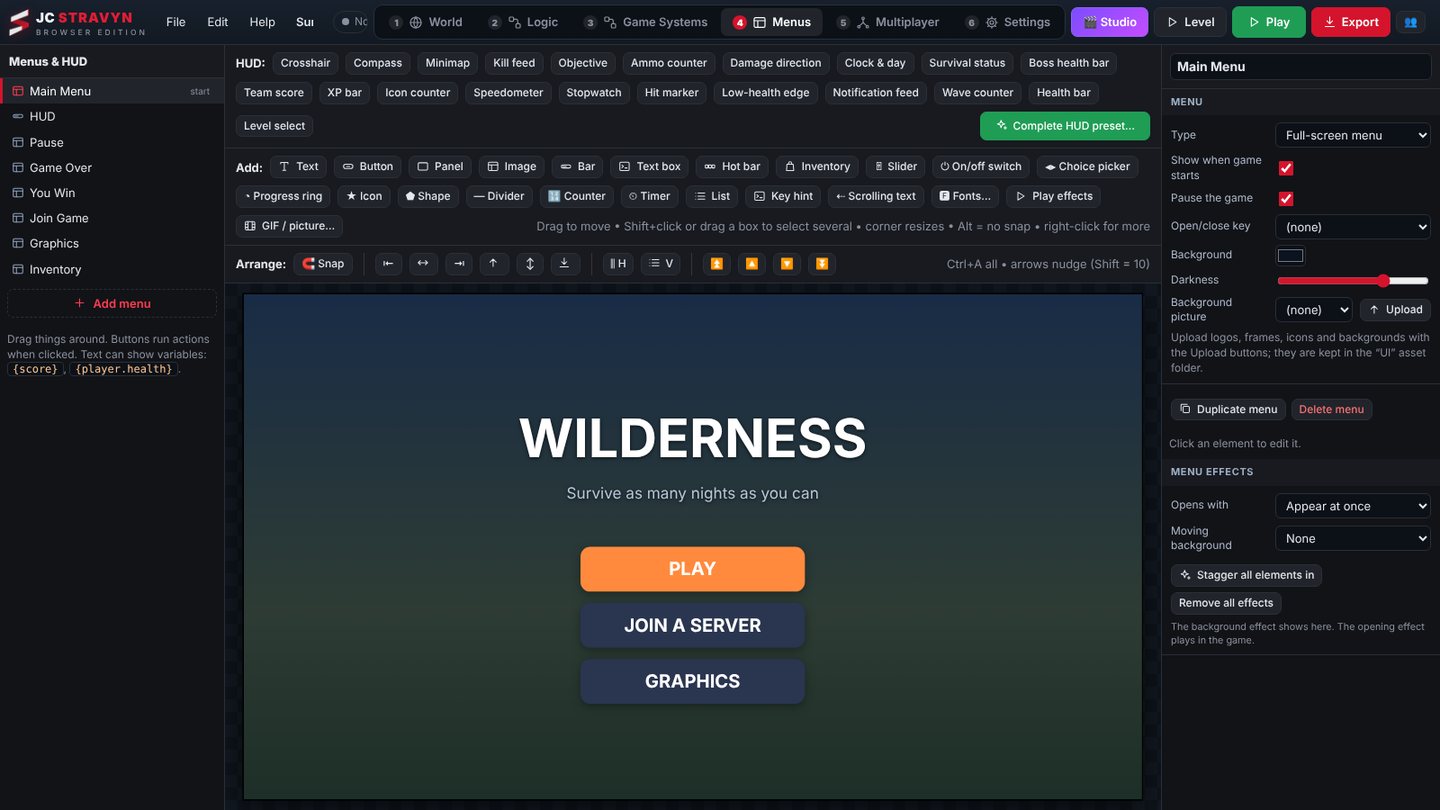
Main menu, pause, game over and inventory screens come ready. Drag elements to move them and corners to resize. In 1.0 every element and menu can animate.
- New elements: slider, toggle, choice picker, progress ring, icon, shape, animated counter, timer, list, key hint and ticker
- New HUD pieces: XP bar, icon counter, speedometer, stopwatch, hit marker, low-health edge, notification feed, wave counter
- Entrance, looping, hover and click effects on any element; open and close transitions and animated backdrops on menus
- Ready-made looks and a long list of fonts
 Menus · Main menu
World generation
Endless worlds, or one huge map
Two ways to go big. The endless world generator builds land around the player as they travel, forever. Or generate a fixed map up to a kilometre across in the editor, then sculpt and paint it by hand.
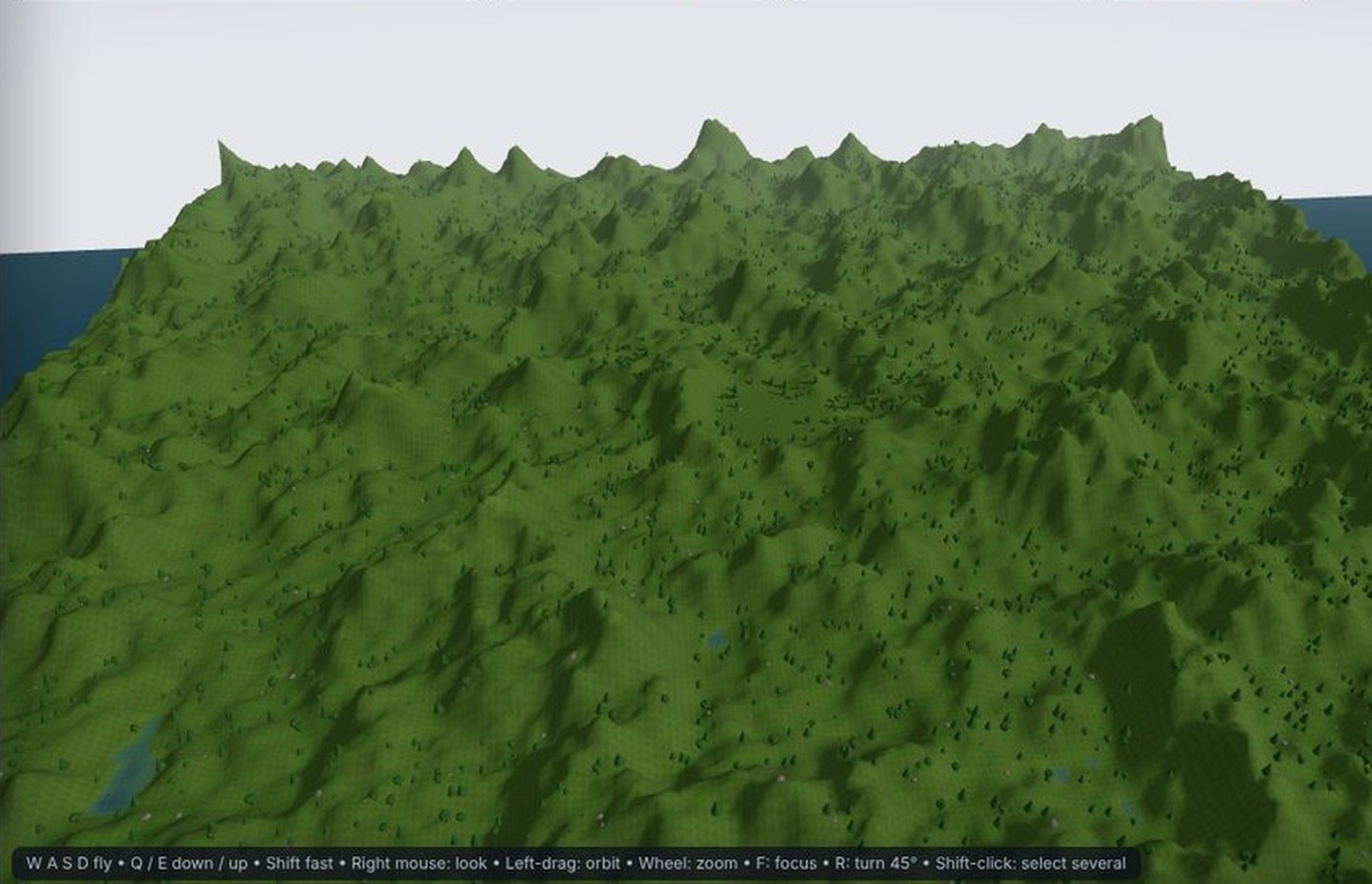 1.2 km Open World map
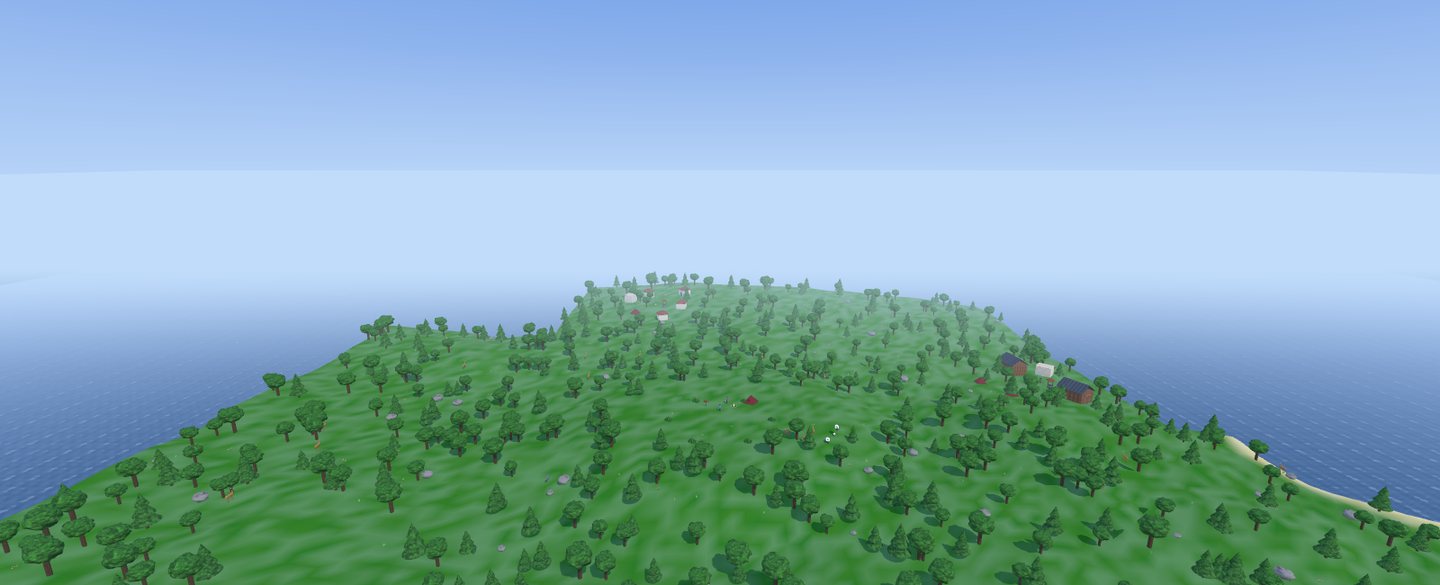 Forest
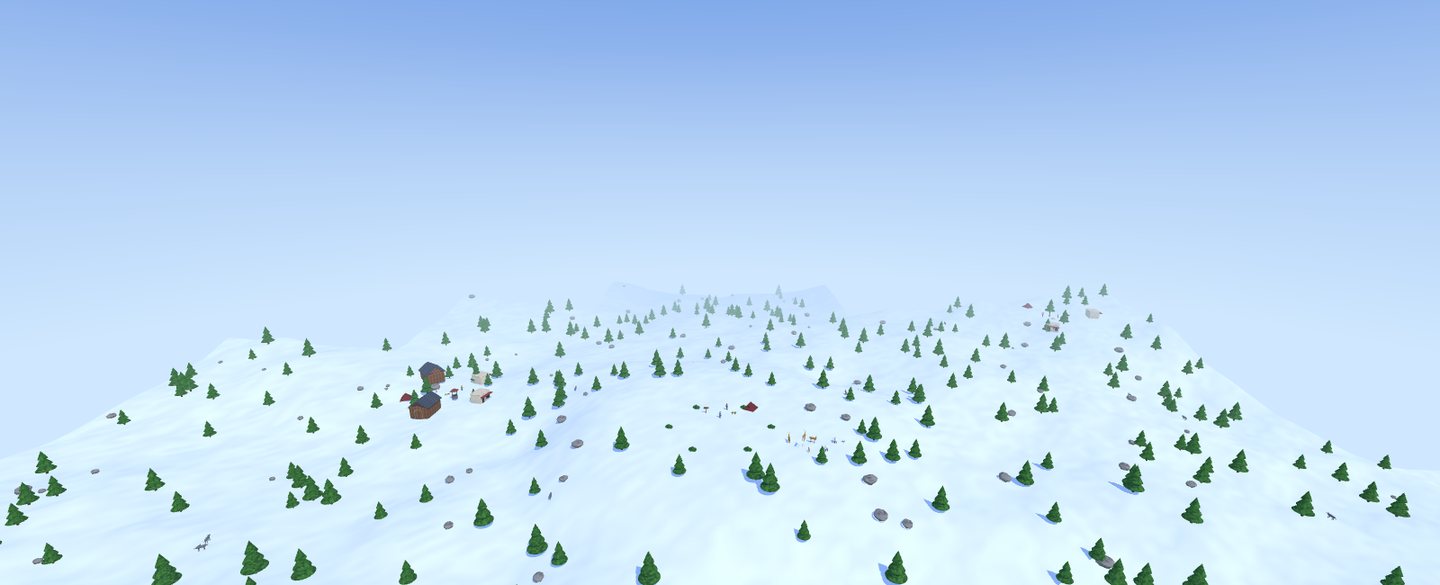 Snow
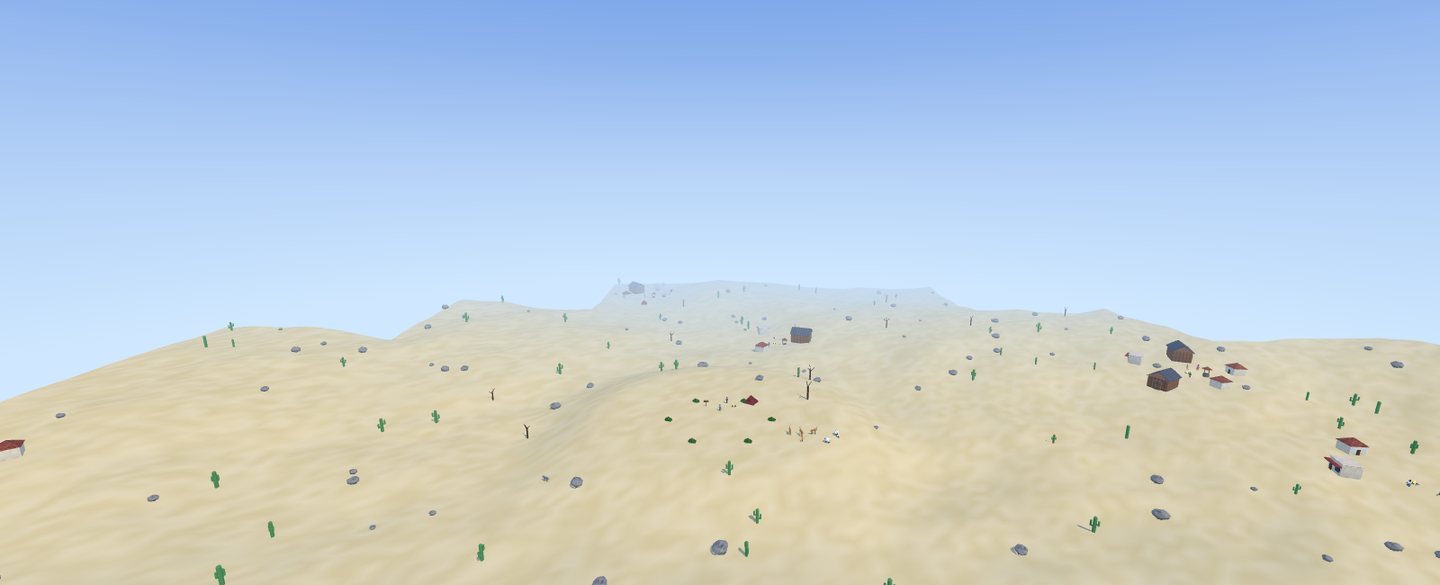 Desert
Never-ending land
Chunks are built ahead of the player and removed behind them, so a world has no edge and no loading screens.
Pick a theme New
Modern, medieval or western: the theme picks the buildings, props, people and how settlements are laid out.
Fill it with a game New
Zombie survival, wilderness, fantasy, western outlaws or peaceful: the world fills itself as the player travels.
Pick your biomes
One biome or several: grassland, forest, desert and snow, with random weather that fits where the player stands.
Same seed, same world
Lock a seed so every player explores the same map, or use 0 for a brand-new world every time you press Play.
Villages with jobs
Villages appear on their own with houses, shops and barns. Villagers walk around and a quest giver hands out work.
Water and wildlife
Lakes and seas fill low ground. Wild animals roam, and you can add your own enemy prefab with a spawn chance.
Your spawn stays yours
The area around the start stays flat, so the base, buildings and objects you placed by hand fit right in.
Jobs that make their own targets New
Quest givers create camps, captives and caches as they're needed, so quests work even where nothing was placed by hand.
Combat & AI
Enemies that think, and a player that feels right
AI works with collisions, buildings and the rest of the engine, so enemies take cover, path around walls and react to noise.
Enemies that shoot back
Enemies carry visible weapons and really fire, or claw with bare hands like zombies. Set their accuracy.
Stealth senses
Vision cones, suspicion before detection, hearing footsteps and gunshots, searching and calling backup.
Path-finding units
RTS units and villagers find their way around buildings, walls and gates on their own.
Hybrid camera
Switch between first person, third person and top-down. Mouse-follow aiming in third person and top-down.
Vehicles
Chase, cockpit and top camera views with a speedometer. 23 vehicles to drive, fly or ride.
Melee that reads
Dodge roll, block and parry, combos, heavy attacks and lock-on, all from the Boss Arena kit.
Quests with real variety New
Clear a camp and recover what was stolen, rescue a captive, escort, bounty, defend a spot, destroy caches, courier runs, timed rushes, investigations and lost items.
Waves and bosses
Wave spawners with pacing, and bosses with phases, a health bar on the HUD, and an event when they fall.
Smart AI, fair fights
Enemies path around buildings and walls, react to noise, and take cover where the level gives it.
Multiplayer & teams
Play together, build together
Turn multiplayer on and players, enemies, health, pickups and variables sync with no code. Host on your PC for LAN games, or export a server package for the cloud.
- Six modes: co-op, versus, deathmatch, team deathmatch, CTF, king of the hill
- Text chat, scoreboard, passwords and message of the day
- "Play together" starts a test match and invites every teammate
- Add up to 4 AI players to a multiplayer test
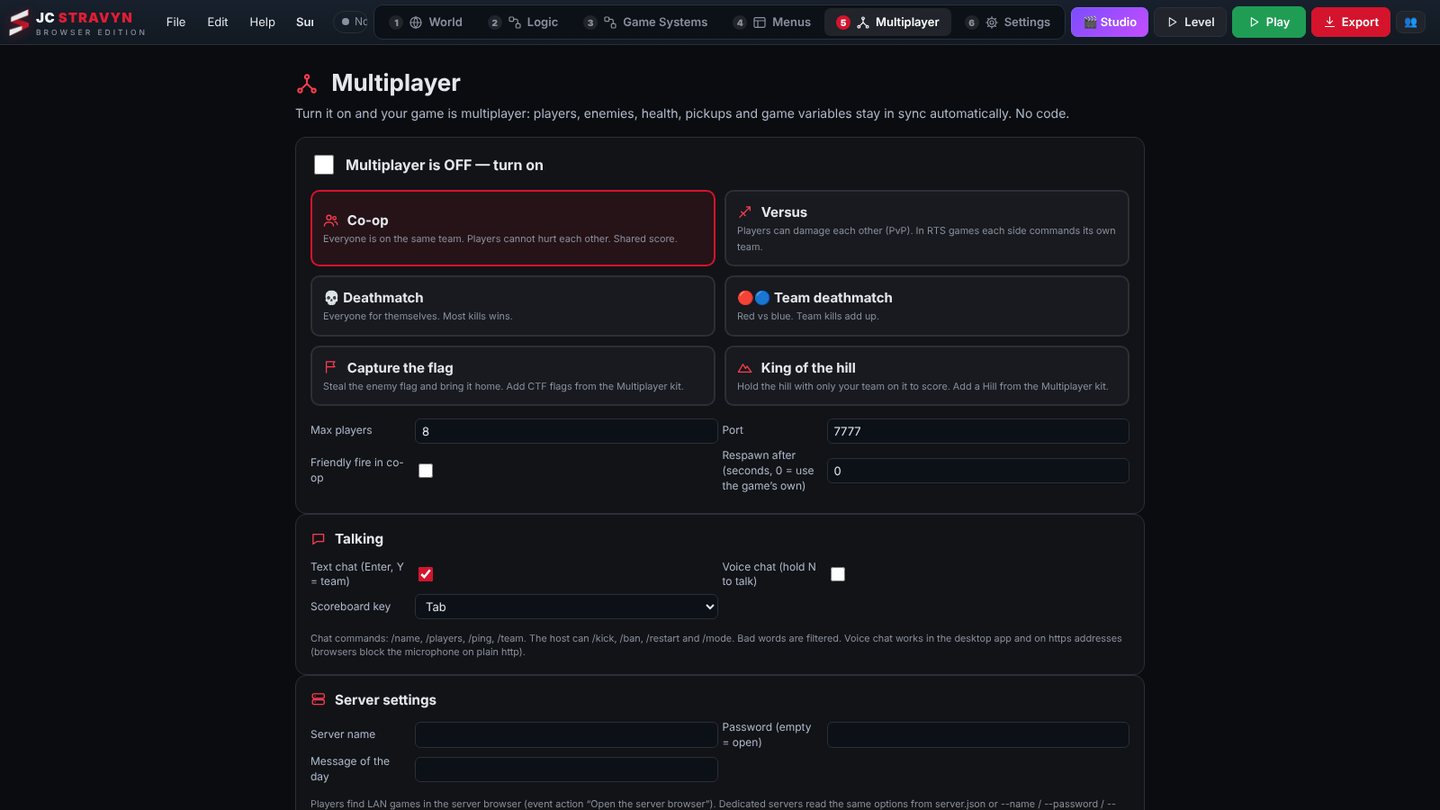 Multiplayer
Graphics & controls
AAA on a gaming rig, playable on a potato
One switch sets the whole look. AAA mode turns on 4K shadows, bloom, glow and film tone-mapping. Potato PC mode drops shadows and view distance so it runs on almost anything.
- Runs on Vulkan or DirectX through WebGL 2
- Xbox, PlayStation, Switch Pro and generic USB or Bluetooth gamepads
- Every button remappable, with defaults that already work
- High-res textures and maps over a kilometre wide
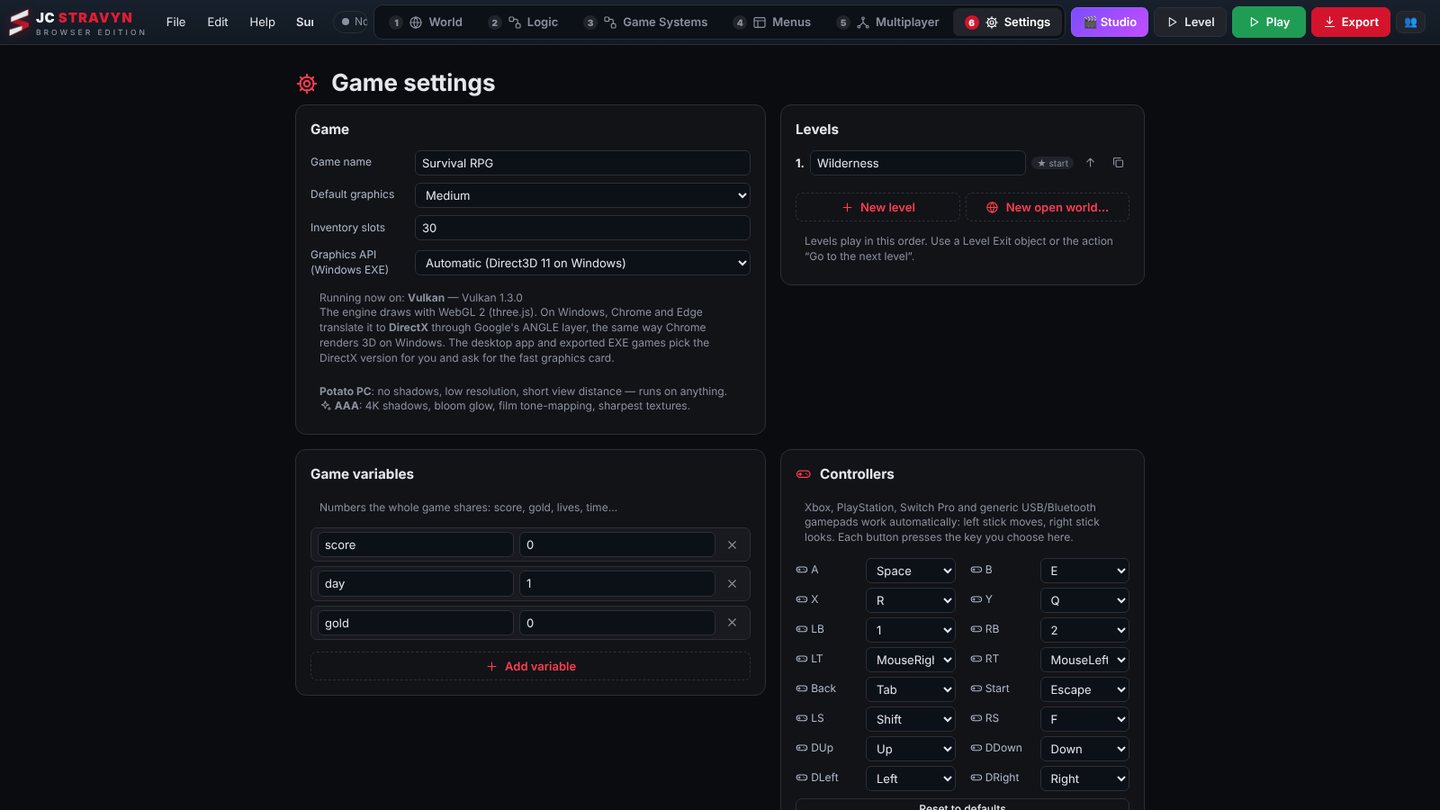 Settings · Graphics & controllers
Content library
Hundreds of models before you import a thing
Every model is ready to place, with collision set up. Import your own 3D models, textures and music whenever you want.
Weapons
Pistols to rifles, melee and throwables, with weapon skills.
Vehicles
Cars, trucks, tanks, snowmobiles and more.
Buildings
Ready to drop in, plus 15 Building maker starters.
Props & interiors
250+ props, 150 small decor items and about 145 interior pieces.
Floor decor
Blood, puddles, scorch marks, rubble, papers, rugs and road markings.
Consumables
Survival food, drink and medicine with real effects and buffs.
Also built in: sound-effect maker, music maker, localization table, achievements, splash and credits screens, cutscenes, and a playtest heatmap.