

Team editing & AI Studio
Build it together, with people and AI
Up to 12 people can edit the same level live. Add AI Studio and nine AI teammates join them, each with a cursor in your world, building in front of you and waiting for your yes.
Team editing
Twelve people, one level, live
Team editing turns Stravyn into a shared workspace. One person hosts, up to eleven teammates join, and everyone builds the same project at once. You see each other's cursors, cameras and selections in each person's colour.
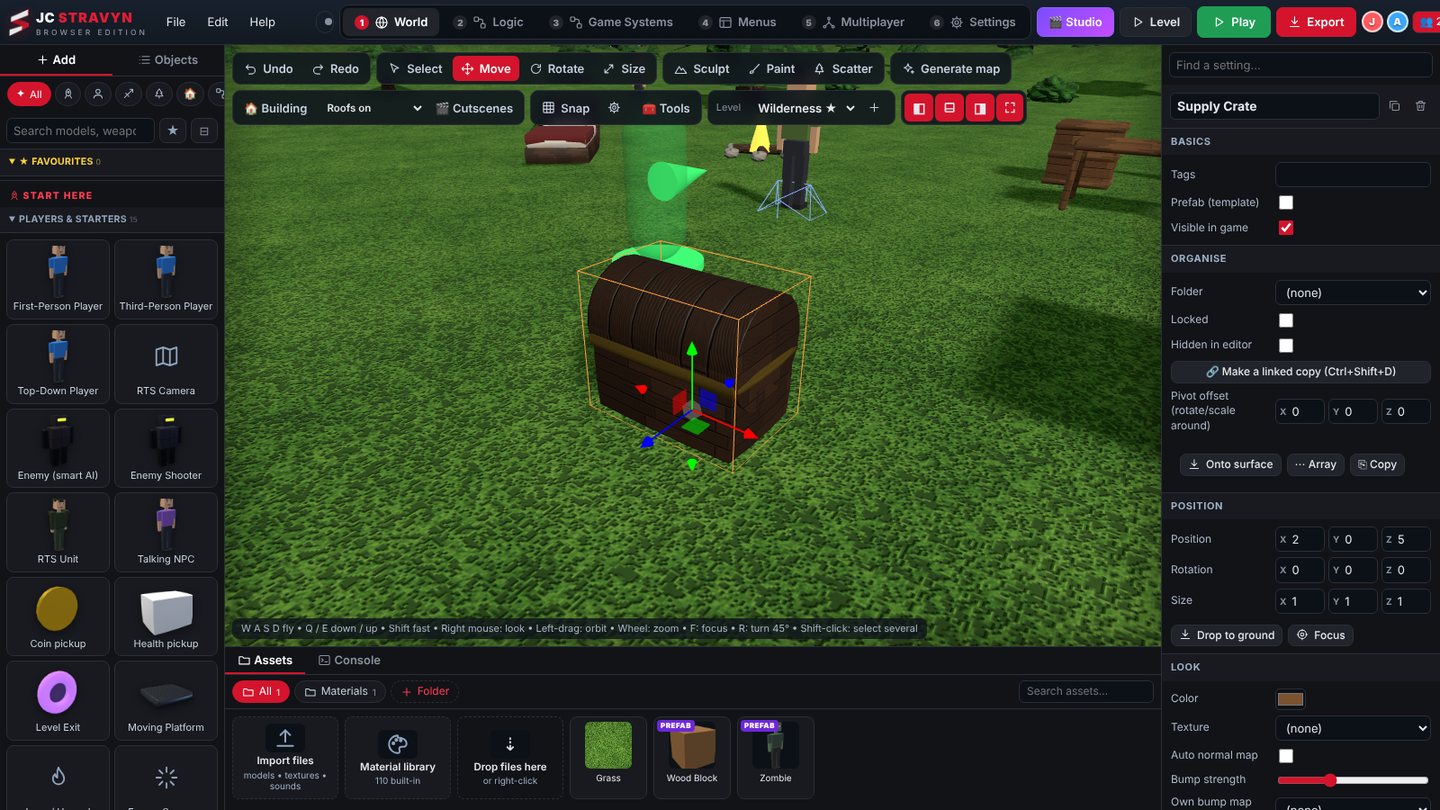
How a session works
- Host a sessionOpen Team editing (👥) in the desktop app and press Host. Your computer runs the team server on port 7788. Add a password if you like.
- Teammates joinThey type your address, for example 192.168.1.20:7788, and press Join. The desktop app and the browser edition can both join.
- Build togetherPick a name and one of 16 colours. Changes appear for everyone as they happen, and a team chat keeps everyone talking.
- Play it togetherWith multiplayer on, press 🎮 Play together. Stravyn starts a test match in a private room and sends every teammate a Join card.
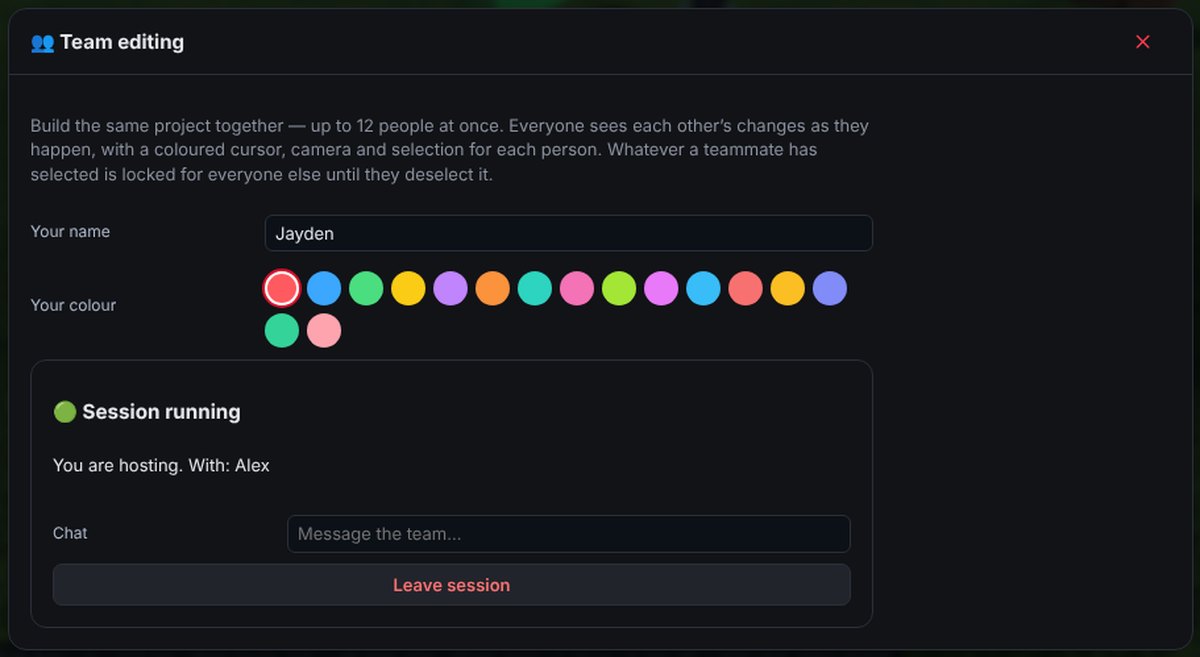 Team editing window
AI Studio · nine teammates
A nine-person studio. You direct.
AI Studio puts a full game studio inside your project. The teammates work like people in a team-editing session: each has a cursor and a camera in your world, selects things, drags them and builds in front of you. Every change is tested and waits for your approval.
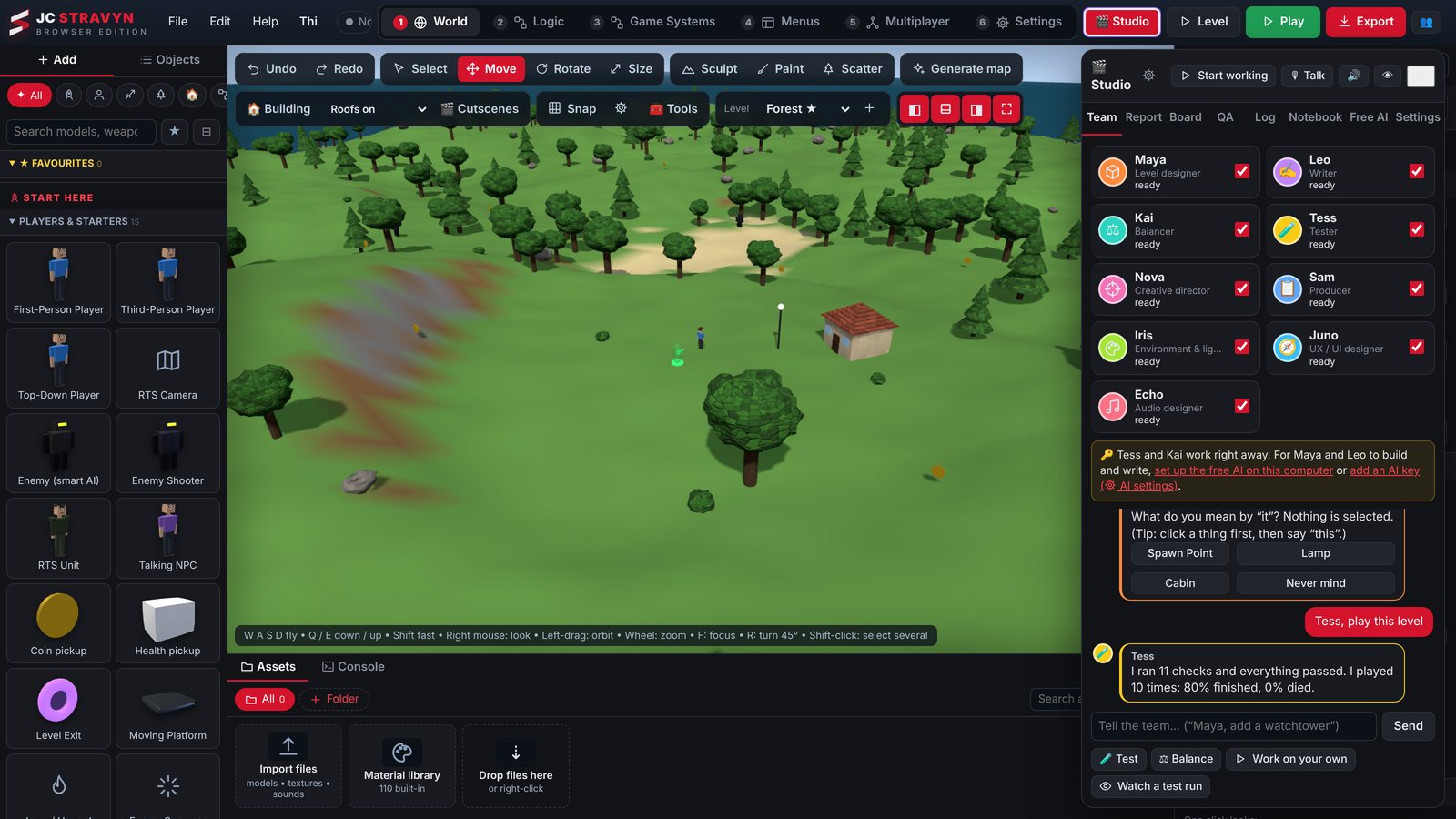 Real capture · Team tab
How it works
- Give an orderType it or press Talk and say it. "Maya, build a small village by the lake." "Kai, make it a little easier." Or give the whole team a goal: "Team, make this a zombie survival game."
- Watch them workThe teammate travels to the spot, selects the object in its own colour, and moves, builds or deletes one step at a time. Press the eye button and your view follows whoever is working.
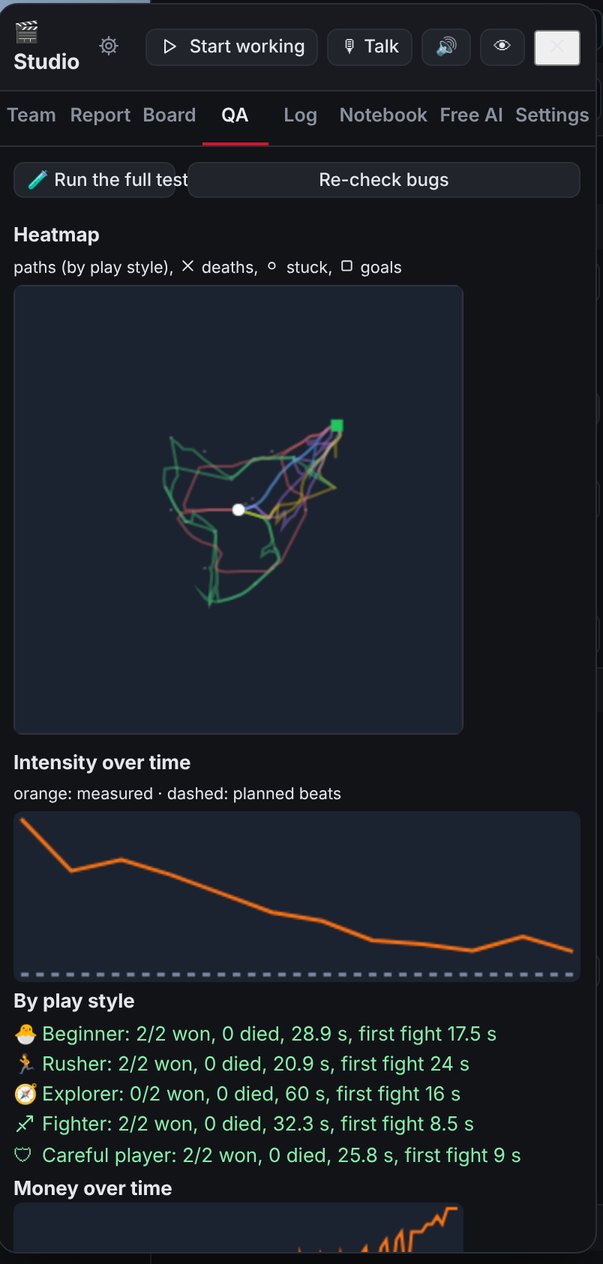
- Tess proves itTest players run the same seeded runs before and after the change. A crash, a new error or a clear drop in the score, and the change is undone and logged as "tried, did not help".
- You decideOpen the report and replay each change before and after in the 3D view. Press "Why?" to see the goal, the reasoning, the evidence and how confident the team is. Then approve or reject.
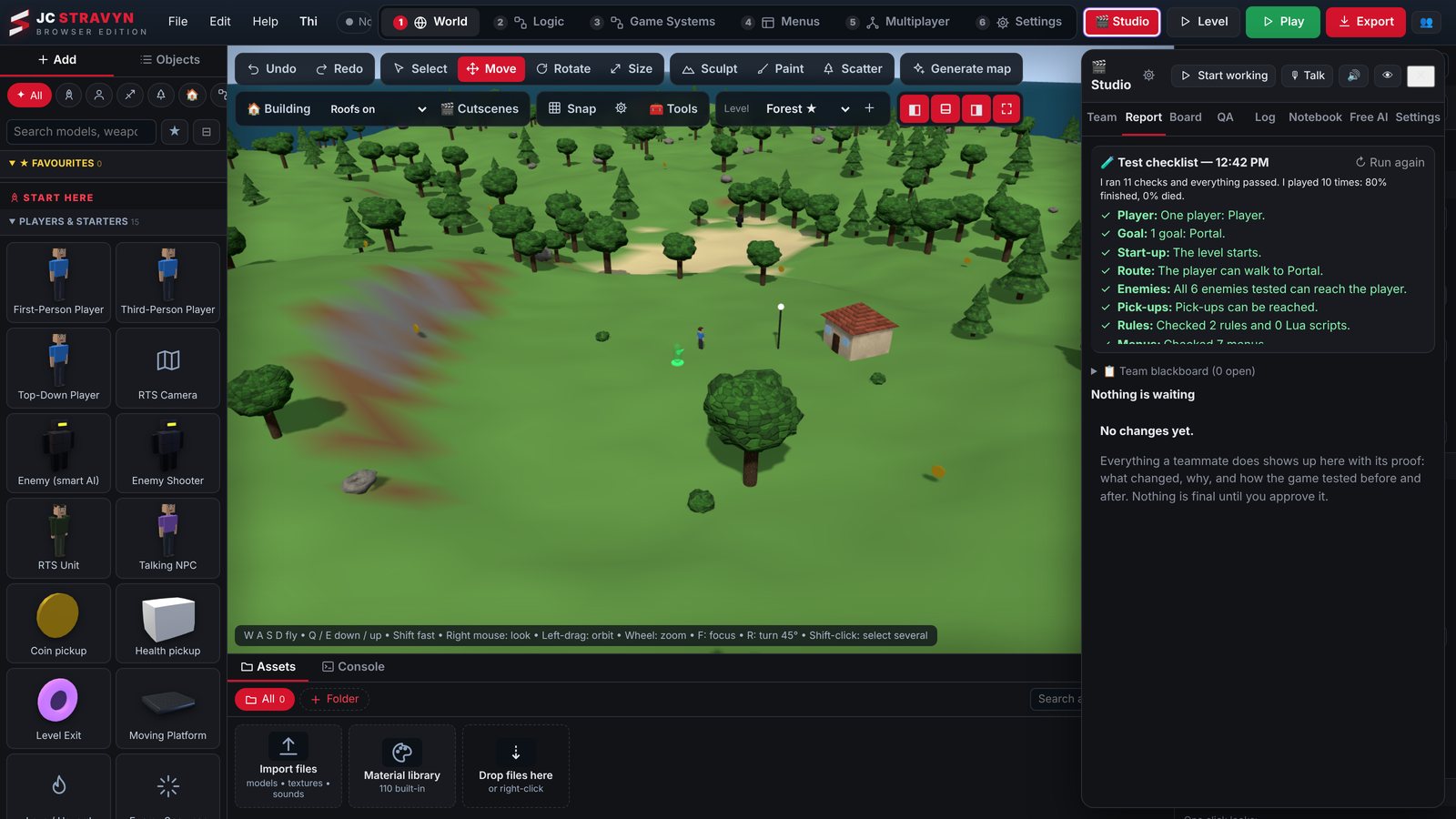 Report · test checklist and changes to approve
A real production
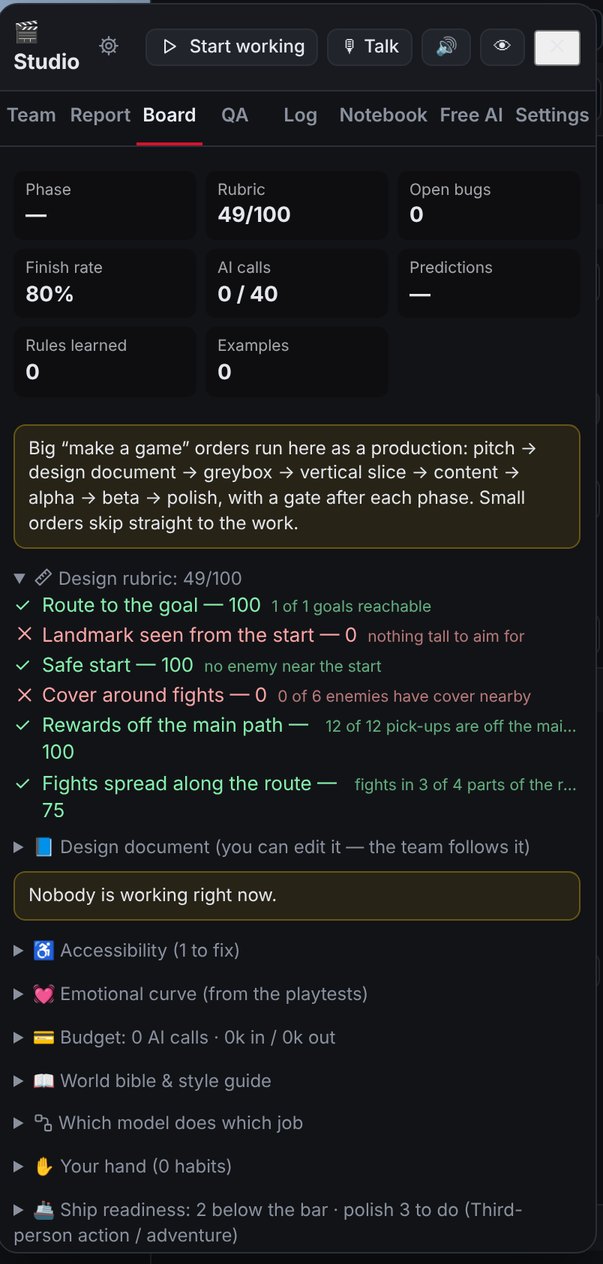
Big orders run like a studio project
Ask for a whole game and Sam plans it in phases. After each phase there is a gate: automatic checks plus a design review by Nova. You get a milestone review where you can approve, redirect or cut scope.
- Pitch
- Design document
- Greybox
- Vertical slice
- Content build
- Alpha
- Beta
- Polish
People and AI together
One session, humans and AI side by side
Start AI Studio inside a team-editing session and everyone sees the AI cursors, selections and live drags. Anyone in the session can give orders or stop the team.
- One computer runs the AI team for the whole session
- Orders from teammates are labelled with their name in the chat and the notebook
- In a multiplayer test, add up to 4 AI players that join and play alongside you
- Watch a test run: see a test player play your level in the normal Play view
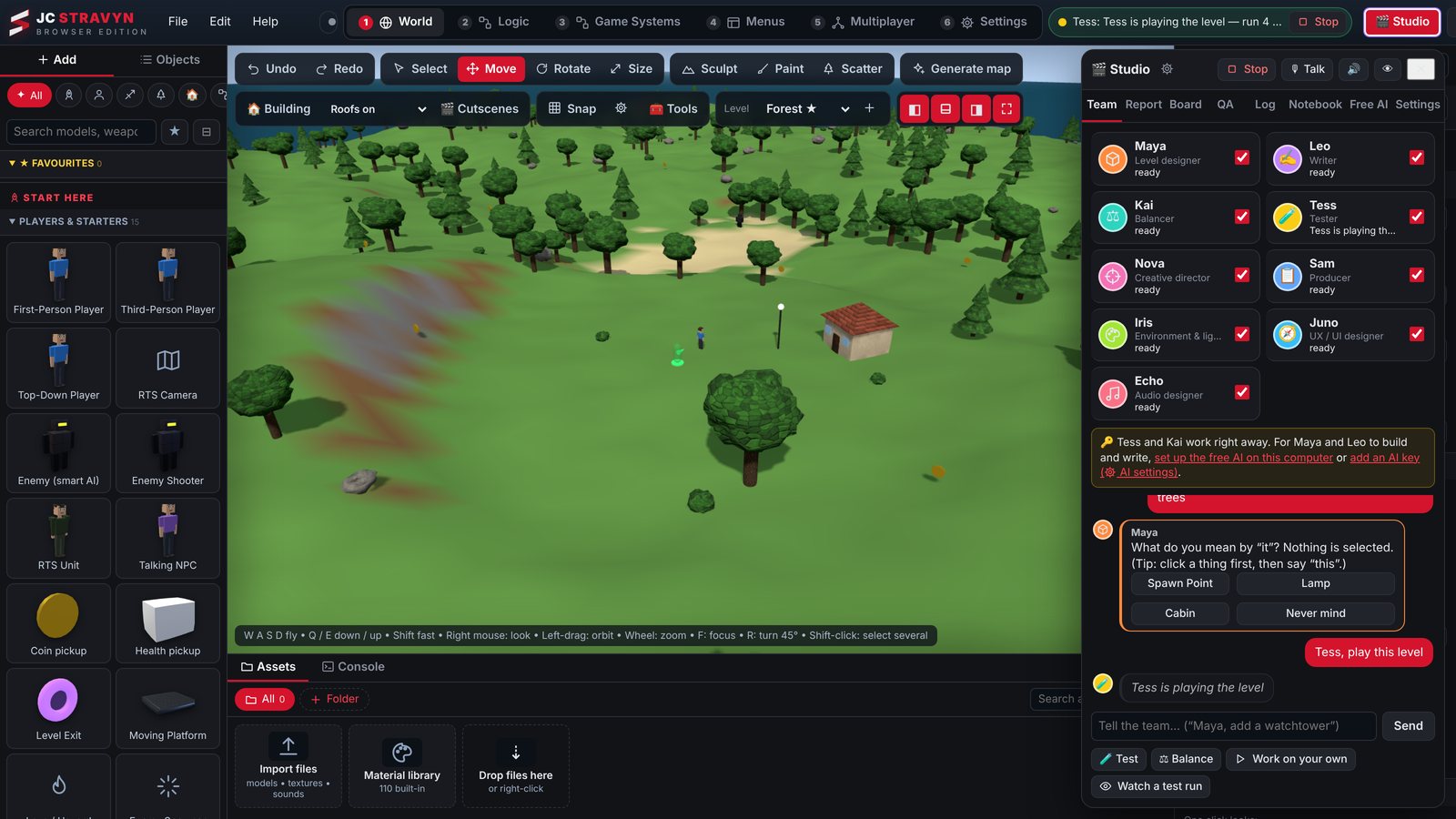 Tess running a playtest
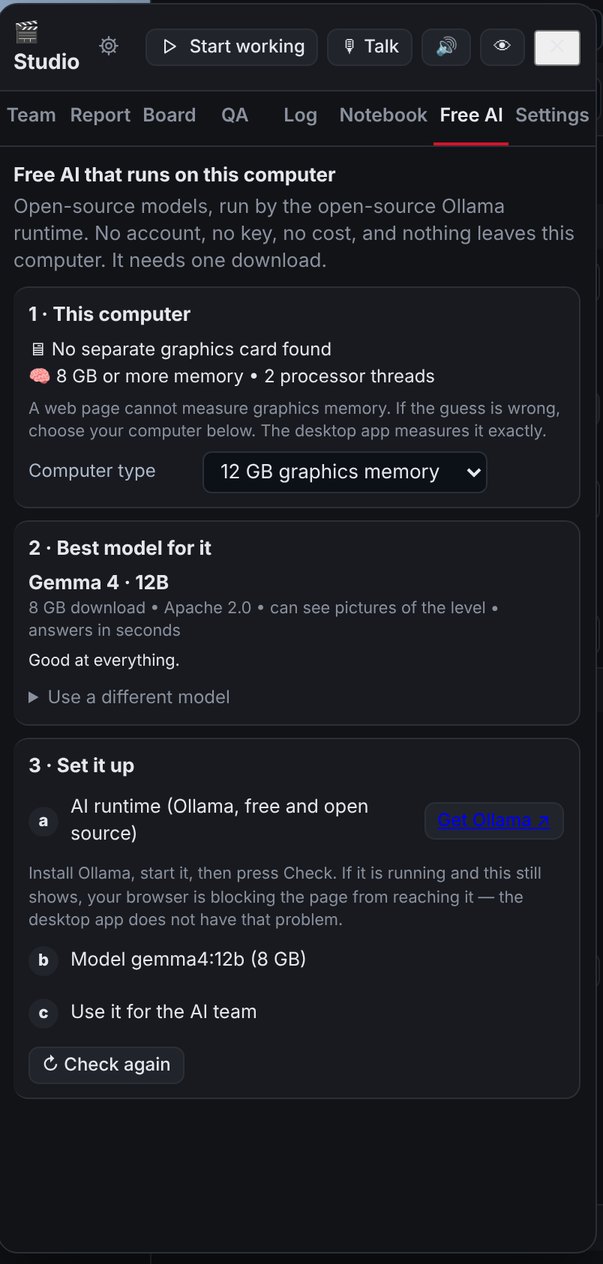
Which AI it uses. The free AI runs open-source models on your own PC through the open-source Ollama runtime: no account, no key, no cost, and nothing leaves your computer. You can also add your own AI key for a stronger model. Tess and Kai work right away with no AI at all; the other teammates need one of the two. On a small local model, Nova and Sam merge into one "Lead" and Iris and Echo into "Art & Audio" so the team still works.
AI Studio New in 1.0
Smarter, safer, easier to follow
Version 1.0 gives the team better tools, a memory for your game's world and style, and a clear bar for when a game is ready to ship. The old single AI assistant is gone: AI Studio replaces it.
A full log
The Log tab shows every order, reply, tool call and result. Export it as text or JSON. Your AI key is never written to it.
Is it ready to ship?
Each kind of game has a ship bar: what has to be true before it's ready. Ask the team and they check it point by point.
World bible & style guide
The team keeps notes on your world's names, history and look, and follows them in every change so the game stays consistent.
Pick a model per job
Use a fast model for small jobs and a stronger one for planning and writing. Prompt caching keeps a big session quick and cheap.
Rooms and little scenes
Maya can furnish building interiors room by room, and Iris places small story scenes: a camp left in a hurry, a crashed cart.
Mood by area
Iris sets fog, light and colour per area with mood zones, so a swamp feels different from the town next to it.
Wear, cables and rails
Age and dirty buildings and props, run power lines and string lights, and lay railway track across the land.
Towns, arenas, jump courses
New build tools lay out a whole town, a fight arena or a jumping course in one step, ready to tune.
A director's hand
The team learns the habits you approve and repeat, and uses them without being asked.
Logic and systems tools
The team writes event rules, wires objects, tests logic, and sets up quests, talks, shops, waves, bosses and the HUD.
Thinking tools
Inspect, find, plan, playtest and test scripts before changing anything, and look up the engine's own guides.
What a change touches
A change-impact report lists what else a change affects, and a walk-through camera shows it from the player's height.
Try it yourself
Bring your team. Or direct nine.
Start with the free demo, then pick the plan that fits how many people build with you.